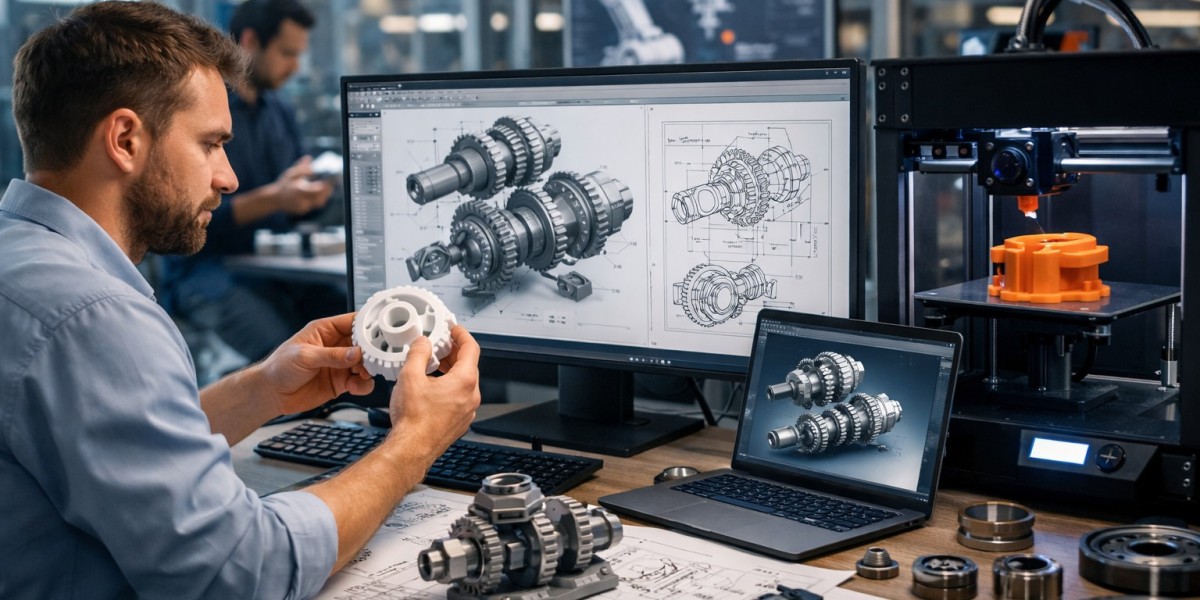

In today’s fast-moving manufacturing and product innovation landscape, mechanical engineers are under constant pressure to design faster, smarter, and with fewer errors. Traditional 2D drafting methods are no longer enough to keep pace with complex product requirements, shorter development cycles, and rising customer expectations.
This is where 3D drawings especially 3D AutoCAD mechanical drawings play a critical role in modern product prototyping.
From early concept visualization to functional testing and final manufacturing, 3D drawings have become the backbone of product design and prototyping across industries such as automotive, consumer products, industrial equipment, medical devices, and electronics.
In this article, we’ll explore how mechanical engineers use 3D drawings for product prototyping, the latest CAD trends shaping the industry in the USA and UK, the challenges engineers face, and the opportunities ahead.
What Are 3D Drawings in Mechanical Engineering?
3D drawings in mechanical engineering are digital, three-dimensional representations of mechanical components or assemblies created using CAD software like AutoCAD, SolidWorks, Inventor, or Fusion 360.
Unlike flat 2D drawings, 3D drawings provide:
Accurate geometry and dimensions
Realistic visualization of parts and assemblies
Clear understanding of how components fit and function together
In 3D drawing mechanical engineering, every detail from holes and tolerances to material thickness is defined with precision, enabling better decision-making early in the design process.
Why Are 3D AutoCAD Mechanical Drawings Essential for Product Prototyping?
Prototyping is all about testing ideas before committing to mass production. 3D AutoCAD mechanical drawings allow engineers to move from concept to prototype with confidence.
Key reasons they matter:
Early error detection reduces costly redesigns
Accurate visualization improves stakeholder communication
Faster iterations speed up product development
Seamless integration with CNC machining and 3D printing
According to a report by McKinsey on digital engineering productivity, companies using advanced CAD and digital prototyping tools can reduce development time by up to 30–50%.
How Do Mechanical Engineers Use 3D Drawings During the Prototyping Process?
Mechanical engineers rely on 3D drawings at every stage of product design prototype development. Let’s break it down.
How Are 3D Drawings Used in Concept Development?
During the early concept phase, ideas are fluid and constantly evolving.
3D drawings help engineers:
Convert rough sketches into detailed digital models
Experiment with multiple design concepts quickly
Compare different shapes, sizes, and configurations
This flexibility is crucial for startups and product teams who need to validate ideas before investing in tooling or materials.
How Do 3D Drawings Improve Design Validation and Testing?
One of the biggest advantages of 3D AutoCAD mechanical drawings is their ability to support virtual testing.
Engineers can:
Simulate real-world loads and stresses
Analyze motion and interference between parts
Check tolerances and clearances digitally
According to Autodesk’s product development research, digital simulation can cut physical prototyping costs by up to 40%, making it a game-changer for modern engineering teams.
How Are 3D Drawings Used for Functional Prototypes?
Once a design is validated, 3D drawings become the foundation for building functional prototypes.
They are used to:
Generate STL or STEP files for 3D printing
Create CNC machining-ready models
Define materials, finishes, and assembly instructions
This ensures that the product design prototype closely matches the final production version, reducing surprises later in the manufacturing stage.
How Do 3D Drawings Support Collaboration Across Teams?
Modern product development is rarely handled by a single department.
3D drawings act as a universal communication tool between:
Mechanical engineers
Industrial designers
Manufacturers and fabricators
Quality control teams
In the USA and UK, where outsourcing and global collaboration are common, 3D drawings eliminate ambiguity and misinterpretation.
According to PTC’s global product development study, companies using collaborative CAD platforms report 25% fewer engineering change orders (ECOs).
What Role Do 3D Drawings Play in Design for Manufacturing (DFM)?
A major challenge in prototyping is ensuring that a design can actually be manufactured efficiently.
3D drawings help engineers:
Optimize designs for CNC machining, casting, or molding
Identify undercuts, thin walls, or complex features
Reduce material waste and production costs
This approach, known as Design for Manufacturing (DFM), is increasingly critical as manufacturers aim for leaner and more sustainable operations.
What Are the Latest Trends in 3D Drawing and Mechanical Prototyping?
The CAD and prototyping industry is evolving rapidly, especially in the USA and UK.
Key trends shaping the future:
Cloud-based CAD platforms for remote collaboration
AI-assisted design optimization
Generative design driven by performance requirements
Integration with additive manufacturing (3D printing)
According to Statista’s CAD software market analysis, the global CAD market is expected to exceed USD 11 billion by 2027, driven largely by demand for faster product design and prototyping.
What Challenges Do Engineers Face When Using 3D Drawings?
Despite the benefits, engineers still encounter challenges when working with 3D drawing mechanical engineering workflows.
Common challenges include:
Steep learning curves for advanced CAD tools
Managing large and complex assemblies
Ensuring data compatibility across platforms
Balancing speed with accuracy
These challenges highlight the growing need for skilled CAD professionals and standardized workflows, particularly in highly regulated industries.
How Are 3D Drawings Creating New Opportunities for Businesses?
For startups, manufacturers, and product-driven businesses, 3D drawings unlock new possibilities.
They enable:
Faster time-to-market
Lower prototyping and development costs
Improved product quality and performance
Better investor and stakeholder presentations
In competitive markets like the USA and UK, companies that invest in strong product design and prototyping capabilities gain a significant edge.
How Will 3D Drawings Shape the Future of Mechanical Engineering?
Looking ahead, 3D drawings will become even more intelligent and interconnected.
Future developments may include:
Real-time design feedback powered by AI
Automated compliance checks
Digital twins for lifecycle monitoring
Deeper integration with IoT and smart manufacturing
Mechanical engineers who master 3D AutoCAD mechanical drawings will be better positioned to innovate, adapt, and lead in this evolving landscape.
Conclusion:
From early concepts to functional prototypes and manufacturing-ready designs, 3D drawings are no longer optional they are essential.
They help mechanical engineers reduce risk, improve collaboration, and bring better products to market faster. As CAD technology continues to evolve, businesses that embrace advanced 3D drawing workflows will stay ahead of the curve.
For organizations seeking reliable expertise in 3D drawing mechanical engineering, collaborating with an experienced CAD design partner such as a leading UK-based CAD design company can make a meaningful difference in achieving precision, efficiency, and long-term success.