
Path of Exile 2 Return of the Ancients 0.5.4 offers many complex systems that can feel overwhelming, especially for players creating their first serious character. Passive choices, skill gems, and equipment upgrades all have a major impact on performance. The in-game Build Planner gives players a simple way to follow proven setups while learning how different parts of a build work together. It is also a helpful tool for managing POE 2 Items because it shows recommended gear choices and important stats throughout character progression.
Instead of stopping gameplay to search through different guides, players can connect a build planner directly with the game. This allows them to see recommended passive tree paths, equipment notes, and skill suggestions while continuing their adventure. For both beginners and experienced players, this feature makes preparing a character much more convenient.
Connecting A Build Planner Code
The easiest way to start using the Build Planner is through a compatible build guide. Many community guides provide a planner code that can be linked to Path of Exile 2.
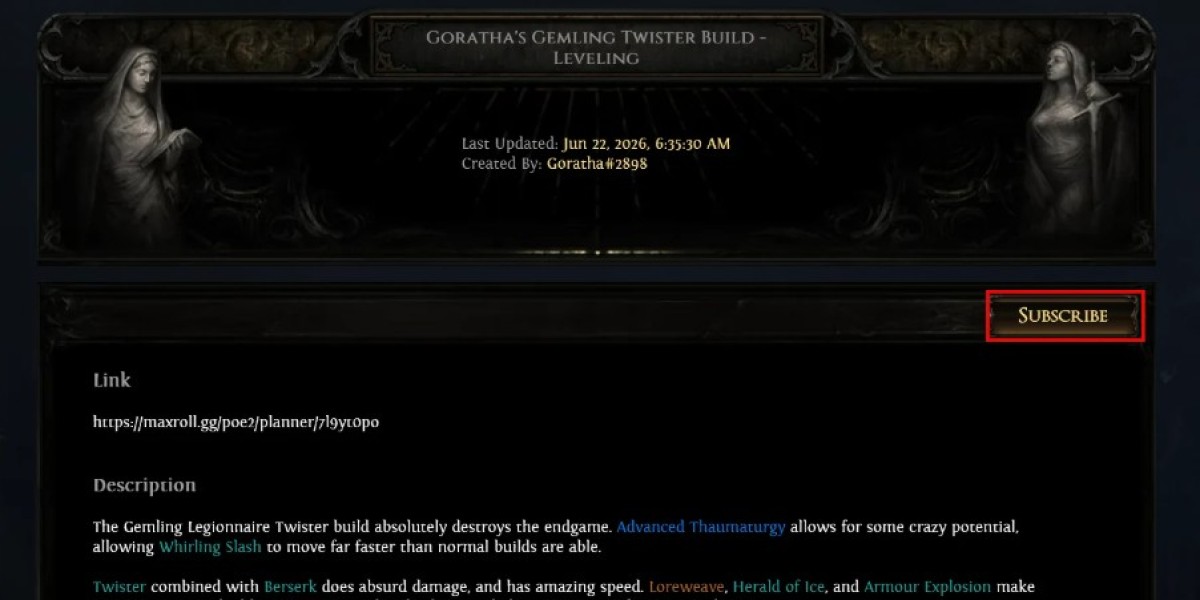
After selecting a guide, players need to click the subscribe option and confirm the subscription through the official Path of Exile website. Logging into the correct account is necessary because the game uses this connection to access the planner.
When the process is complete, open Path of Exile 2 and enter the character screen. Open the Passive Skill Tree and locate the blue icon in the top-left corner. This button allows players to select the Build Planner they want to use.
A successful import will add guide information directly into the game. Players can view suggested passive routes and follow the planned progression step by step.
Learning From Passive And Equipment Advice
One of the biggest benefits of the Build Planner is that it explains character development more clearly. The Passive Skill Tree in Path of Exile 2 contains many possible directions, and choosing the wrong nodes can slow down progression.
The planner highlights the recommended path, showing which nodes should be selected next. This is especially helpful while leveling because players can focus on immediate improvements instead of trying to understand the entire tree at once.
Equipment recommendations are another useful feature. Certain equipped items can display icons with information about valuable stats and upgrade priorities. This helps players understand why specific gear choices are recommended.
The same idea applies to Skill Gems. A well-made planner can show which gems are important during different stages of the build, helping players create a more effective character without unnecessary experimentation.
Using A Local Build Planner File
Players can also import a Build Planner file manually. This method is useful when they already have a planner saved on their computer.
To create the file, use the “Export Build Planner (GGG)” option from the planner tool. The downloaded file needs to be placed in this folder:
C:\Users\YourUserName\Documents\My Games\Path of Exile 2\BuildPlanner
After moving the file, launch the game and select the planner through the Passive Skill Tree menu.
Manual files have an important limitation. They will not automatically receive updates when the creator changes the build. Players must download a new file if they want the latest version.
Making Custom Build Planners
Creating a personal Build Planner is also possible for experienced players who enjoy designing their own setups. The export system allows creators to turn their completed planner into an in-game format.
To make a planner easier for others to follow, creators should organize progression carefully. Minimum levels can be assigned to passive choices, equipment recommendations, and Skill Gem steps.
This ensures players receive suitable information at the correct time. Early campaign advice can appear during leveling, while advanced endgame recommendations can remain hidden until they become useful.
Creators can also adjust variants and use export groups to provide additional guidance. These options help create a cleaner experience for players following the build.
Final Thoughts On Character Planning
The in-game Build Planner is a useful feature that makes Path of Exile 2 character development easier to manage. It combines build guides with gameplay, allowing players to follow recommendations without constantly checking outside resources.
For players who want to improve their characters and prepare important upgrades, POE 2 Currency can provide additional support during progression.
A good planner, combined with smart resource management, helps create a smoother journey from the campaign to endgame content.
Using the right tools and planning ahead, POE 2 Currency can help players complete their builds more efficiently.