
Most people carry their phones everywhere. To meetings. To lunch. To the restroom. Home at night. On weekends. The phone is rarely more than an arm's reach away.
Now imagine that phone also opened every door they needed at work. No key cards to remember. No fobs to lose. No badges to replace. Just the device already in their pocket.
This is not a futuristic concept. Businesses across Dallas are already using mobile credentials to replace physical access cards. And the shift is happening faster than most people realize.
A property management company in Addison made the switch last year. They had over two hundred employees and a constant stream of lost key cards. Each lost card cost time to replace, money to reissue, and created a security gap until it was deactivated.
Now employees use their phones. Lost credentials dropped to zero. Employees no longer forget their badges at home. The system logs every access attempt automatically. The property manager said the only regret was not switching sooner.
The Problem with Plastic Cards
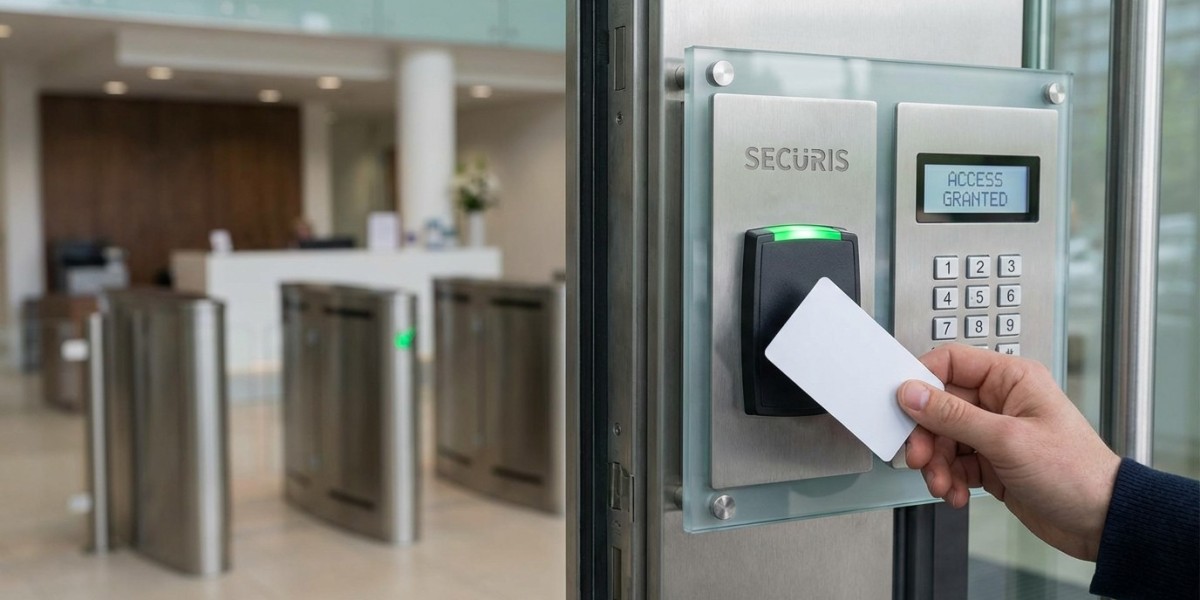
Plastic access cards have been the standard for decades. They work. They are familiar. But they come with problems that businesses have learned to accept.
Cards get lost. Employees set them down in coffee shops, leave them in cars, drop them in parking lots. Each lost card is a security risk until it is deactivated. Many employees do not report lost cards immediately because they hope to find them.
Cards get forgotten. The number of employees who arrive at work and realize their badge is on the kitchen counter is staggering. Someone has to let them in. Productivity drops. Frustration builds.
Cards get damaged. Wallets wear them out. Washing machines destroy them. Sunlight fades them. Every damaged card means a replacement.
Cards are expensive. A typical access card costs several dollars. For a business with high turnover or frequent loss, the cost adds up. Then there is the labor to issue them, deactivate them, and manage replacements.
Cards create friction. Employees juggle bags, coffee, phones, and cards. The card is one more thing to carry, one more thing to keep track of.
A retail chain in Plano calculated their annual cost of plastic cards. Between replacements for lost, damaged, and forgotten cards, plus the staff time to manage them, the total was over $15,000 per year. They switched to mobile credentials and eliminated almost all of that expense.
What Mobile Credentials Actually Are
Mobile credentials turn a smartphone into an access key. The phone communicates with the door reader using Bluetooth, NFC, or a combination of technologies. The user simply holds their phone near the reader, and the door unlocks.
No special app required in many cases. The credential lives in the phone’s digital wallet—Apple Wallet or Google Wallet—just like a credit card or transit pass. Employees tap their phone like they tap to pay for coffee.
For businesses that prefer an app, dedicated applications offer additional features like remote access management, visitor passes, and activity logs.
A technology company in Richardson adopted mobile credentials early. Their employees are tech‑savvy and appreciated not carrying another card. The company also liked that credentials can be issued remotely. New hires receive a text message with a link to add their credential before their first day. They walk in, tap their phone, and start working.
Why Employees Prefer Mobile
The convenience factor alone drives adoption. Employees already have their phones. They use them for everything else. Adding door access feels natural.
No more patting pockets to find a badge. No more digging through bags at the door. No more embarrassment when the badge was left at home.
A marketing agency in Dallas surveyed employees after switching to mobile credentials. Nearly ninety percent preferred the phone over plastic cards. The most common comment was “I always have my phone. I don’t always have my badge.”
For employees who work across multiple locations, mobile credentials are even more valuable. Instead of carrying a separate badge for each building, their phone works everywhere they are authorized. The system manages access centrally, so employees do not have to think about it.
The Security Advantage
Mobile credentials are not just convenient. They are more secure than plastic cards.
Harder to share. Employees hand plastic cards to coworkers all the time. “Can you let me in?” It happens constantly. Mobile credentials are harder to share because the phone stays with the owner. If someone tries to share access, it is much more deliberate and easier to detect.
Encrypted communication. Plastic cards often use static data that can be copied or cloned. Mobile credentials use encrypted communication that changes with each use, making them far more resistant to cloning.
Instant revocation. When an employee leaves, their mobile credential can be removed instantly. No need to collect a physical card. No wondering if they made copies. The credential simply stops working.
Lost phone protections. If an employee loses their phone, they can remotely wipe the credential through their mobile wallet provider. Unlike a lost plastic card, which remains active until someone reports it, a lost phone can be secured immediately.
A financial services firm in Las Colinas experienced this benefit firsthand. An employee’s phone was stolen. Within minutes, the firm deactivated the mobile credential remotely. The thief had no way to access the building. If the employee had carried a plastic card, the firm would have had to rekey or hope the card was not used.
The Visitor Experience
Mobile credentials transform visitor management. Instead of printing temporary badges that get lost or forgotten, businesses can send mobile passes directly to visitors’ phones.
A visitor receives a text or email before arrival. They tap a link, add the credential to their phone, and walk in when they arrive. The credential works only during the scheduled visit. After that, it expires automatically. No badges to collect. No lingering access.
A law firm in downtown Dallas uses this for client meetings. Clients receive mobile passes before arriving. They walk straight to the conference room without waiting at a front desk. The firm looks professional and organized. Clients notice the difference.
Integration with Existing Systems
Mobile credentials do not require replacing all your door hardware. Many modern access control systems support mobile credentials alongside plastic cards. Businesses can phase in mobile adoption gradually.
Employees who prefer plastic cards can keep them. Employees who want mobile can use their phones. The system handles both seamlessly.
A property management company in Addison uses this hybrid approach. Some employees prefer the familiarity of plastic cards. Others have adopted mobile. The same readers work for both. The transition has been smooth.
For businesses considering new access control systems, mobile compatibility should be a priority. The technology is mature, the costs are reasonable, and the benefits are substantial.
What to Consider Before Switching
Hardware compatibility. Not all door readers support mobile credentials. Existing systems may need new readers. The cost varies depending on the number of doors and the existing infrastructure.
Phone compatibility. Most modern smartphones support mobile credentials. Older devices may not. Check what your employees carry before committing.
Management platform. The system should offer a web‑based portal for managing users, issuing credentials, and reviewing logs. The easier the management, the more likely you will use the features.
Backup options. What happens if an employee’s phone dies? Good systems offer backup methods—a PIN code, a plastic card, or a call‑in option. Plan for the edge cases.
Training. Most employees will figure out mobile credentials quickly. But a brief introduction helps. Show them how to add the credential, how to use it, and what to do if their phone is lost or dead.
A construction company in Fort Worth tested mobile credentials with a small group before rolling out company‑wide. They discovered that some older phones had compatibility issues. They issued plastic cards for those employees and mobile for the rest. The hybrid approach worked well.
The Cost Picture
Mobile credentials often cost less than plastic cards over time.
The upfront hardware may cost more if readers need replacement. But the ongoing costs are lower. No plastic cards to buy, print, and reissue. No staff time managing lost cards. No emergency rekeying for lost master keys.
For a business with fifty employees, the annual savings on cards alone can be several thousand dollars. Add in reduced administrative overhead, and the system often pays for itself within a few years.
A medical practice in Plano calculated their savings after switching. They had been spending over $3,000 annually on replacement cards. Staff spent an estimated 100 hours per year managing access credentials. After switching to mobile, those costs dropped by nearly ninety percent.
The Bottom Line
Mobile credentials are not a futuristic experiment. They are a practical solution already deployed across thousands of Dallas businesses. They solve real problems: lost cards, forgotten badges, shared access, and administrative overhead.
Employees prefer them because they already carry their phones everywhere. Security improves because credentials are harder to share and easier to revoke. Costs drop because plastic cards and administrative time are reduced.
For businesses evaluating access control options, mobile credentials should be on the short list. They work with existing systems. They integrate with modern security platforms. They meet employees where they already are—with a phone in hand.