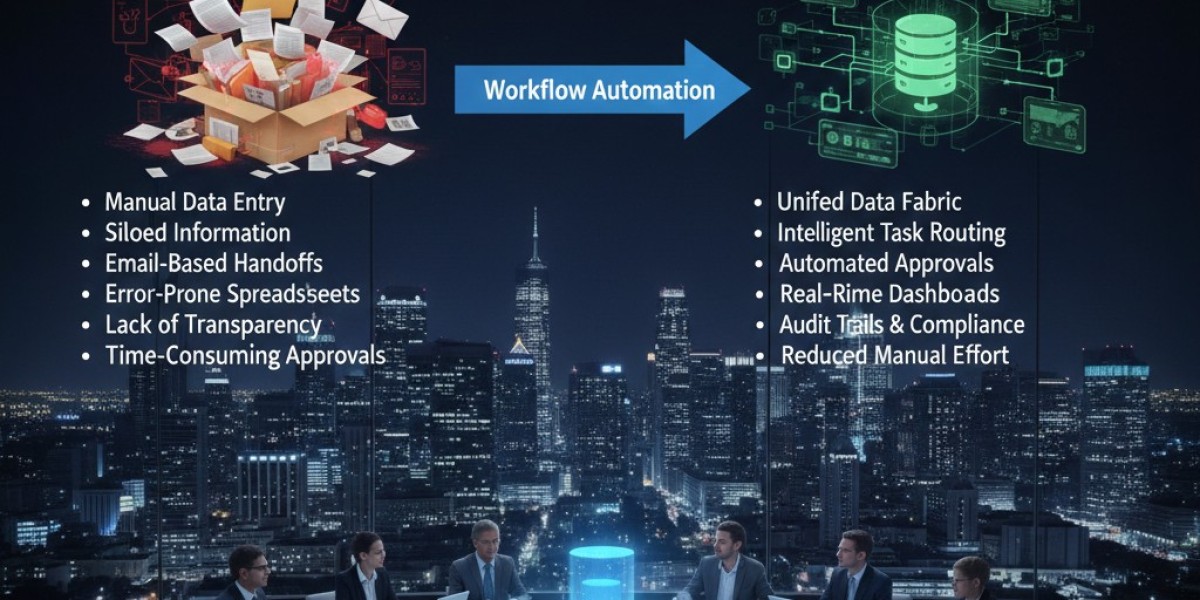

Spreadsheets and email inboxes were the backbone of many operational processes, but they were never designed to scale. While they worked in small teams or for occasional tasks, they quickly became cumbersome and error-prone as business operations grew. From tracking invoices in Excel to managing approval processes through email chains, these manual methods led to inefficiencies, confusion, and mistakes. Digital Process Automation (DPA) changed all that by replacing these outdated systems with streamlined, automated workflows that saved time, improved accuracy, and enabled better decision-making.
By moving from spreadsheets and inboxes to fully automated processes, organizations could eliminate the bottlenecks that hindered progress and ensured that work was completed faster, with fewer errors.
Why spreadsheets and email inboxes were never the answer
Spreadsheets and inboxes might seem like a simple solution to track and manage tasks, but they quickly show their limitations:
Manual data entry: Spreadsheets rely on employees to input data manually, which increases the likelihood of human error, such as missing information or incorrect entries.
Lack of visibility: Email inboxes, especially when dealing with multiple people or teams, make it difficult to track the status of tasks, approvals, or requests. Documents get buried in threads or lost in the shuffle.
Data silos: Spreadsheets and email systems are isolated, meaning data isn't centralized, and teams can’t access or collaborate on up-to-date information in real-time.
Limited collaboration: With emails and spreadsheets, collaboration becomes fragmented, requiring multiple back-and-forth messages or edits to reach a final decision or complete a task.
Slow decision-making: Emails and spreadsheets are inefficient for decision-making as they lack real-time updates, clear visibility, and tracking, which delays the entire process.
In short, while spreadsheets and inboxes may have worked as quick-and-dirty solutions for basic tasks, they quickly became a source of operational inefficiency as businesses scaled.
How Digital Process Automation replaced spreadsheets and inboxes
Digital Process Automation is designed to take over the repetitive, time-consuming tasks that spreadsheets and inboxes often handle. Instead of relying on multiple systems that require manual input and tracking, DPA creates automated workflows that move documents, approvals, and data seamlessly through predefined paths. Here's how DPA replaced spreadsheets and inboxes:
1) Streamlined task management and workflows
In the traditional spreadsheet-based system, teams manually updated status reports, tracked tasks, and coordinated approvals. Each change required human oversight, leading to delays, miscommunication, and missed deadlines. With Digital Process Automation, tasks are automatically routed based on predefined rules, ensuring that work moves seamlessly through every step.
For example, an approval workflow for a new project might look like this:
The system automatically assigns tasks based on department and responsibility.
The required approvals are automatically routed to the appropriate individuals without needing email reminders or manual updates.
Each stage is tracked in real-time, and the workflow escalates if a task isn’t completed within the specified time frame.
This eliminates the need for spreadsheets to track progress and ensures that all approvals and tasks are handled automatically, reducing delays and increasing transparency.
2) Real-time data collection and integration
Manual data entry into spreadsheets is not only time-consuming but also prone to errors. With DPA, data is collected and processed automatically, removing the need for manual input. For example, invoices and purchase orders can be processed through an automated system that captures key data points (e.g., amount, date, vendor, department) without the need for human intervention.
Additionally, DPA systems often integrate with other enterprise software like CRM or ERP systems, ensuring that data flows seamlessly between different platforms. This integration eliminates data silos, ensuring that everyone has access to the most up-to-date information.
3) Automated reporting and analytics
Reporting is another area where Digital Process Automation excels. Instead of relying on spreadsheets to manually compile data and create reports, DPA automates the entire reporting process. Data is pulled directly from systems in real-time, and reports are generated automatically based on pre-set criteria.
For example, financial reports that previously took hours to generate can now be created automatically at the click of a button. DPA systems can also provide real-time analytics, enabling decision-makers to monitor business performance instantly.
This automation not only saves time but also ensures that reports are accurate, consistent, and up to date eliminating the need for manual intervention and reducing the risk of human error.
4) Improved collaboration and communication
While emails and spreadsheets rely on individuals to share information and collaborate, Digital Process Automation improves collaboration by creating a centralized platform where all relevant data, documents, and approvals are tracked in real-time. Teams can easily see where a task is in the process and communicate without relying on fragmented email threads.
For example, instead of sending email requests and attachments back and forth to get approval for a contract, DPA creates an automated workflow where all necessary stakeholders are notified when their approval is required. This reduces the chances of lost emails and delayed approvals and speeds up the decision-making process.
5) Enhanced compliance and auditability
In many industries, compliance with regulatory standards is critical. Spreadsheets and email chains are not reliable for tracking compliance, as they are prone to human error and lack transparency. With Digital Process Automation, every step of a process is automatically logged, providing a clear audit trail.
For example, if a business needs to demonstrate compliance with procurement policies, they can easily retrieve records from the automated system that show when and how approval was granted, who approved it, and whether all necessary steps were followed. This improves compliance and simplifies the audit process.
Real-world impact of Digital Process Automation
Businesses that have replaced spreadsheets and inboxes with Digital Process Automation have seen immediate improvements in operational efficiency. For example, a global retailer implemented DPA to automate its purchase order and approval processes. As a result, they reduced processing time by 40% and significantly decreased the risk of errors, as all data was automatically captured and validated.
A financial services company used DPA to streamline its client onboarding process, which previously involved multiple manual tasks tracked through spreadsheets and email. After implementing DPA, the onboarding process was reduced from several weeks to just a few days, improving client satisfaction and operational efficiency.
Conclusion
The reliance on spreadsheets and email inboxes to manage operational tasks is no longer sustainable for growing businesses. Digital Process Automation offers a far more efficient, accurate, and scalable solution. By automating workflows, data collection, reporting, and approval processes, DPA eliminates the inefficiencies, errors, and delays that come with manual methods. Organizations that make the shift to automation not only save time and reduce costs but also set themselves up for greater agility and improved performance in the long term.
If you're still managing operations with spreadsheets and inboxes, it’s time to explore the power of Digital Process Automation. By embracing DPA, you can simplify your workflows, improve accuracy, and free up valuable time to focus on more strategic initiatives.