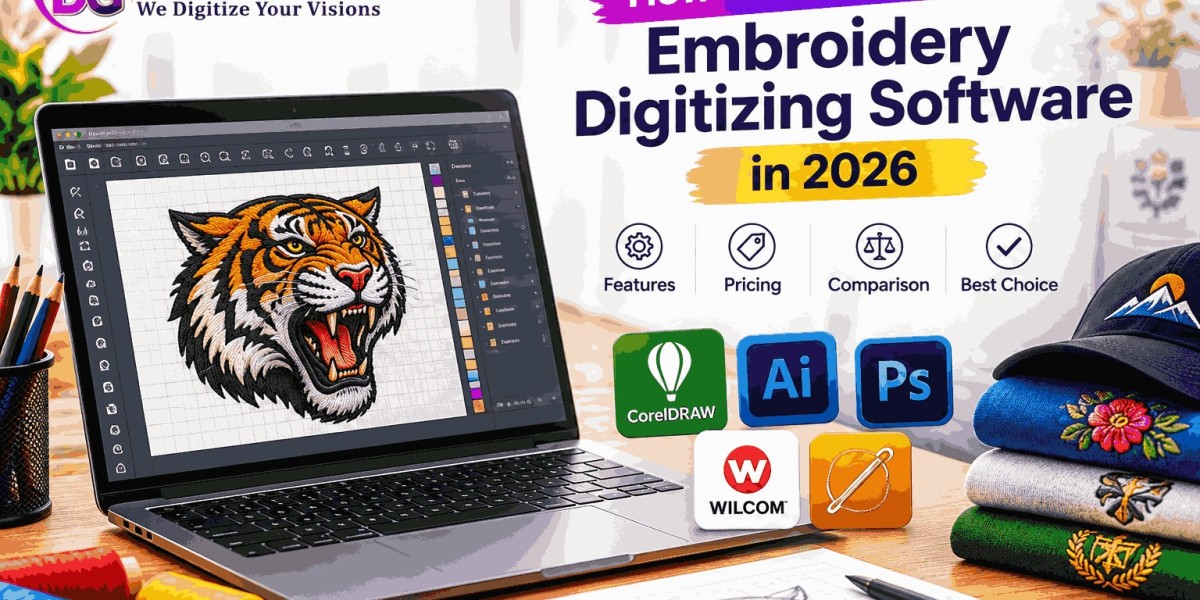

Choosing the right embroidery digitizing software can make a significant difference in how efficiently you create, edit, and prepare embroidery designs. Whether you are a professional digitizer, embroidery business owner, apparel designer, or beginner, the software you choose affects your workflow, design quality, compatibility, and overall production process.
In 2026, embroidery digitizing software offers more features than ever. Modern platforms can include advanced stitch editing, automatic digitizing, lettering tools, appliqué functions, 3D puff capabilities, stitch simulation, machine-format support, and AI-assisted features.
However, having more features does not necessarily mean a particular program is right for everyone. The best choice depends on your experience level, embroidery machine, design requirements, budget, and the type of work you regularly produce.
This guide explains how to select embroidery digitizing software in 2026, what features to look for, and how to compare different options before making a decision.
What Is Embroidery Digitizing Software?
Embroidery digitizing software is specialized software used to create and edit digital embroidery designs. It allows users to convert artwork into stitch-based designs that embroidery machines can understand.
Unlike ordinary graphic design software, embroidery digitizing software works with embroidery-specific elements such as:
- Stitch types
- Stitch direction
- Stitch density
- Underlay
- Pull compensation
- Stitch sequencing
- Thread colors
- Trims
- Machine commands
- Embroidery lettering
The software can also allow users to create designs from scratch or modify existing embroidery files.
Why Choosing the Right Software Matters in 2026
The right software can simplify your embroidery workflow and give you greater control over the final design.
Professional embroidery digitizing requires more than converting an image into stitches. A good software platform should help you control how the design will actually sew on fabric.
The right program can help with:
- Creating professional embroidery designs
- Editing existing files
- Improving stitch placement
- Managing stitch density
- Creating lettering
- Preparing designs for different machines
- Reducing production errors
- Testing designs through stitch simulation
- Saving time during repetitive tasks
The wrong software, on the other hand, can make even simple digitizing tasks unnecessarily complicated.
Determine Your Embroidery Digitizing Needs
Before comparing software, identify exactly what you need to accomplish.
Your requirements will depend on the type of embroidery work you perform.
For Beginners
If you are new to embroidery digitizing, look for software with an intuitive interface and accessible learning resources.
Beginners may benefit from:
- Easy-to-understand tools
- Basic automatic digitizing
- Simple stitch editing
- Built-in lettering
- Tutorials
- Design templates
- Stitch simulation
- Straightforward file export
You may not need the most advanced professional software immediately.
For Professional Digitizers
Experienced digitizers usually require more precise control.
Important features can include:
- Advanced stitch editing
- Manual digitizing tools
- Detailed density controls
- Underlay controls
- Pull compensation
- Advanced sequencing
- Custom stitch settings
- Specialized lettering
- Applique tools
- 3D puff capabilities
- Advanced object management
Professional users should prioritize control and flexibility over the number of automated features.
For Embroidery Businesses
Business owners may need software that supports a broad range of customer projects.
For example, a commercial workflow may involve:
- Corporate logos
- Caps
- Shirts
- Jackets
- Patches
- Monograms
- Sports uniforms
- Promotional products
- Applique
- 3D puff embroidery
In this situation, versatile software can be more useful than a program designed around only one type of embroidery.
Check Machine and File Format Compatibility
One of the most important factors when selecting embroidery software is file compatibility.
Different embroidery machines may require different formats.
Common embroidery formats include:
- DST
- PES
- JEF
- EXP
- VP3
- HUS
- XXX
- CND
Before purchasing software, confirm that it can import and export the formats required by your embroidery machines.
File compatibility is especially important if you work with multiple machines or receive embroidery files from different customers and suppliers.
Look for Manual Digitizing Tools
Automatic digitizing can be useful, but manual control remains extremely important for professional embroidery.
A strong software platform should allow you to manually control design elements such as:
- Stitch direction
- Stitch angle
- Stitch density
- Entry points
- Exit points
- Underlay
- Stitch length
- Object sequence
Manual editing gives you greater control when automatic results are not suitable for the fabric or design.
Evaluate Automatic Digitizing Features
Many modern embroidery programs include automatic digitizing tools.
These tools can analyze artwork and create an initial embroidery design automatically.
Automatic digitizing may save time for simple artwork, but the resulting file should still be reviewed carefully.
Look for software that allows you to edit automatically generated designs rather than locking you into the initial result.
Consider AI-Assisted Features
AI and automation are becoming increasingly relevant to embroidery software in 2026.
Depending on the software, AI-assisted tools may help with:
- Artwork recognition
- Object identification
- Color separation
- Background removal
- Basic stitch generation
- Design cleanup
- Workflow automation
These features can make certain tasks faster, especially during initial design preparation.
However, AI-assisted digitizing should not be confused with completely automatic professional digitizing. Embroidery performance still depends on technical decisions involving fabric, stitch density, underlay, sequencing, and other factors.
Check Stitch Editing Capabilities
Stitch editing is an essential feature for professional users.
A good embroidery digitizing program should allow you to inspect and modify individual stitches or groups of stitches when necessary.
Useful editing functions can include:
- Moving stitches
- Deleting stitches
- Adding stitches
- Changing stitch direction
- Adjusting density
- Editing object shapes
- Changing stitch types
- Modifying entry and exit points
Detailed stitch editing becomes particularly important when correcting designs after test sewing.
Look for Strong Lettering Tools
Embroidery lettering can be challenging, particularly when working with small text.
Good digitizing software should provide useful lettering controls, including:
- Multiple embroidery fonts
- Letter spacing
- Character spacing
- Baseline adjustment
- Kerning
- Letter height
- Stitch density
- Text alignment
- Curved lettering
Small lettering needs careful digitizing because extremely fine details may become unreadable after stitching.
Check Support for 3D Puff Embroidery
If you regularly produce hats and caps, 3D puff embroidery may be an important requirement.
3D puff designs require careful planning to create a clean raised effect.
Software with appropriate tools can help you manage:
- Satin columns
- Borders
- Stitch density
- Underlay
- Stitch sequencing
- Foam areas
- Push and pull considerations
If 3D puff is part of your big business, confirm that the software gives you sufficient manual control over these elements.
Look for Applique and Specialty Tools
Different embroidery projects require different techniques.
If you create specialty designs, consider whether the software supports:
- Applique
- Patches
- Chenille
- Cross-stitch
- Monograms
- Towel embroidery
- Chain stitch
- Gradient effects
- Specialty fills
You may not need every available feature, but choosing software that supports your primary services can prevent the need for additional programs later.
Evaluate Design Preview and Simulation
A stitch simulator is a highly useful feature.
It allows you to preview the order in which stitches will be sewn before sending the design to the embroidery machine.
A simulator can help you identify:
- Unwanted jumps
- Excessive trims
- Incorrect sequencing
- Poor stitch direction
- Density issues
- Potential registration problems
The closer the preview represents actual machine stitching, the more useful it can be during the design review process.
Consider Thread Color Management
Professional embroidery often involves working with different thread brands and color systems.
Useful software may allow you to:
- Select thread colors
- Create custom color palettes
- Map colors between thread charts
- Preview thread changes
- Manage color sequences
Accurate color management can be especially important for corporate logos and branded apparel.
Check Artwork Import Options
Most embroidery projects begin with artwork.
The software should make it reasonably easy to import common graphics.
Depending on the program, supported artwork formats may include:
- JPG
- PNG
- BMP
- SVG
- AI
- EPS
- Other vector or raster formats
Vector artwork is often particularly useful because it provides cleaner shapes for digitizing.
Consider Image Editing Features
Some embroidery software includes basic artwork editing tools, while other programs expect users to prepare artwork elsewhere.
Consider whether you need features such as:
- Background removal
- Image cropping
- Color adjustment
- Object separation
- Shape editing
- Vector conversion
If you already use dedicated graphic design software, extensive artwork editing features may not be a priority.
Compare Ease of Use
Powerful software can still be frustrating if the interface is difficult to understand.
When comparing programs, consider:
- Menu organization
- Tool placement
- Workspace layout
- Shortcut support
- Object management
- Zoom controls
- Editing workflow
Beginners may prefer a simpler interface, while experienced digitizers may prioritize advanced controls and customization.
Consider Learning Resources
Learning resources can significantly affect how quickly you become productive.
Look for software providers that offer:
- Video tutorials
- Documentation
- Training courses
- User guides
- Community forums
- Technical support
- Webinars
A feature-rich program is less useful if you cannot learn how to use its tools effectively.
Compare Pricing and Licensing
Software pricing can vary significantly.
Some programs use:
- One-time purchases
- Subscription plans
- Tiered editions
- Optional upgrades
- Add-on modules
- Free or limited versions
Do not compare only the initial purchase price.
Also consider:
- Upgrade costs
- Subscription renewal
- Support costs
- Additional fonts
- Specialty modules
- Commercial-use limitations
- Number of computers allowed
A lower initial price does not always mean lower long-term cost.
Free vs Paid Embroidery Digitizing Software
Free software can be useful for beginners, basic editing, and learning embroidery concepts.
However, professional users may need more advanced features that are commonly found in paid software.
Free Software May Be Suitable For
- Basic file viewing
- Simple editing
- Learning
- Basic resizing
- Format conversion
- Simple design preparation
Paid Software May Be Better For
- Professional digitizing
- Advanced stitch editing
- Complex logos
- Specialty embroidery
- Advanced lettering
- Detailed density control
- Commercial production
The right choice depends on your actual requirements rather than whether the software is free or paid.
Check Computer Requirements
Before purchasing software, make sure your computer meets the program's requirements.
Check:
- Operating system
- Processor
- RAM
- Storage
- Graphics requirements
- Display resolution
Large and complex embroidery designs can require more computing resources, particularly when working with detailed artwork or large stitch files.
Consider Software Updates
Embroidery technology continues to evolve, so regular software updates can be valuable.
Updates may introduce:
- New features
- Bug fixes
- Machine compatibility
- Improved automation
- Security improvements
- Better workflow tools
When comparing software, investigate how frequently the developer releases updates and whether updates are included in your purchase.
How to Compare Embroidery Digitizing Software
A simple comparison table can help you organize your options.
| Feature | What to Check |
|---|---|
| Ease of use | Is the interface suitable for your experience level? |
| Manual digitizing | Can you control stitch placement and direction? |
| Automatic digitizing | Does it create useful starting designs? |
| AI tools | Are automation features available? |
| Lettering | Are professional embroidery fonts and controls included? |
| File formats | Does it support your embroidery machine? |
| 3D puff | Can you create raised embroidery designs? |
| Applique | Are applique tools available? |
| Simulation | Can you preview stitch sequencing? |
| Pricing | Is the total cost suitable for your budget? |
| Support | Are tutorials and technical assistance available? |
| Updates | Does the software receive ongoing improvements? |
Common Mistakes When Choosing Embroidery Software
Selecting software based only on advertisements can lead to problems.
Avoid these common mistakes:
Choosing Too Many Features
More features do not necessarily make software more suitable.
Choose the tools you will actually use.
Ignoring Machine Compatibility
Always confirm that the software supports the formats required by your embroidery equipment.
Buying Without Testing
If a trial version is available, use it before purchasing. Testing the interface can help you determine whether the workflow suits you.
Focusing Only on Price
The cheapest program may not provide the control required for professional work.
Consider the total value of the software over time.
Ignoring Learning Support
Training materials can make a major difference, particularly when learning professional digitizing techniques.
What Is the Best Embroidery Digitizing Software for Beginners?
There is no single program that is ideal for every beginner.
A new digitizer should generally prioritize ease of use, learning resources, basic digitizing tools, lettering, stitch simulation, and compatibility with their embroidery machine.
It is often better to start with software that you can understand and use effectively rather than purchasing an advanced professional package with features you do not yet need.
What Is the Best Software for Professional Digitizers?
Professional digitizers generally need extensive control over stitch creation and editing.
Important capabilities include:
- Manual digitizing
- Advanced stitch editing
- Density control
- Underlay management
- Pull compensation
- Stitch sequencing
- Professional lettering
- Specialty embroidery tools
- Machine compatibility
- Detailed previews
Experienced users should evaluate software based on how much control it provides over real embroidery production.
How AI May Influence Embroidery Software in 2026
AI-assisted technology is likely to remain an important part of embroidery software development.
Automation may increasingly help digitizers complete repetitive tasks faster, prepare artwork, and create initial stitch structures.
However, professional embroidery still requires understanding how stitches interact with physical materials. Human review remains important for checking details that software may not fully understand, particularly when designs are intended for different fabrics, sizes, machines, or specialty techniques.
The future of embroidery digitizing is likely to involve greater cooperation between automated tools and skilled digitizers rather than relying exclusively on automation.
A Simple Checklist Before Buying
Before selecting embroidery digitizing software, ask yourself:
- What type of embroidery designs do I create?
- Am I a beginne


-
 1Win প্রোমো কোড: 1WIN2026VIP – ৳৯০,০০০ পর্যন্ত +500% বোনাস
Por fayenic423
1Win প্রোমো কোড: 1WIN2026VIP – ৳৯০,০০০ পর্যন্ত +500% বোনাস
Por fayenic423 -
 Взрывные множители: Увеличьте свой выигрыш в MineDrop!
Por Michail Popov
Взрывные множители: Увеличьте свой выигрыш в MineDrop!
Por Michail Popov -
 Best Places to Visit in Nepal & Reliable Travel Agents in Gorakhpur – Plan Your Trip with Maa Laxmi Tour and Travels
Por ouchkart67
Best Places to Visit in Nepal & Reliable Travel Agents in Gorakhpur – Plan Your Trip with Maa Laxmi Tour and Travels
Por ouchkart67 -
 Deca Durabolin Cycle For Beginners: Only Or With Test?
Por johnnieholling
Deca Durabolin Cycle For Beginners: Only Or With Test?
Por johnnieholling -
 Deposit Bonus: A Guide to Understanding Online Gaming Promotions
Por fayenic423
Deposit Bonus: A Guide to Understanding Online Gaming Promotions
Por fayenic423
Comentario reportado con éxito
¡Se ha agregado el mensaje a tu línea de tiempo!
¡Has alcanzado el límite de 5000 amigos!
Error de tamaño de archivo: El archivo excede el límite permitido (92 MB) y no se puede cargar.
Se está procesando su video, le informaremos cuando esté listo para ver.
No se puede cargar un archivo: este tipo de archivo no es compatible.
Hemos detectado contenido para adultos en la imagen que subiste, por lo tanto, hemos rechazado tu proceso de carga.
Compartir publicación en un grupo
Compartir en una página
Compartir al usuario






Para cargar imágenes, videos y archivos de audio, debe actualizar a miembro profesional. Para actualizar Pro
Editar oferta
Agregar un nivel
Elimina tu nivel
Comentarios
Para vender su contenido y publicaciones, comience creando algunos paquetes. Monetización