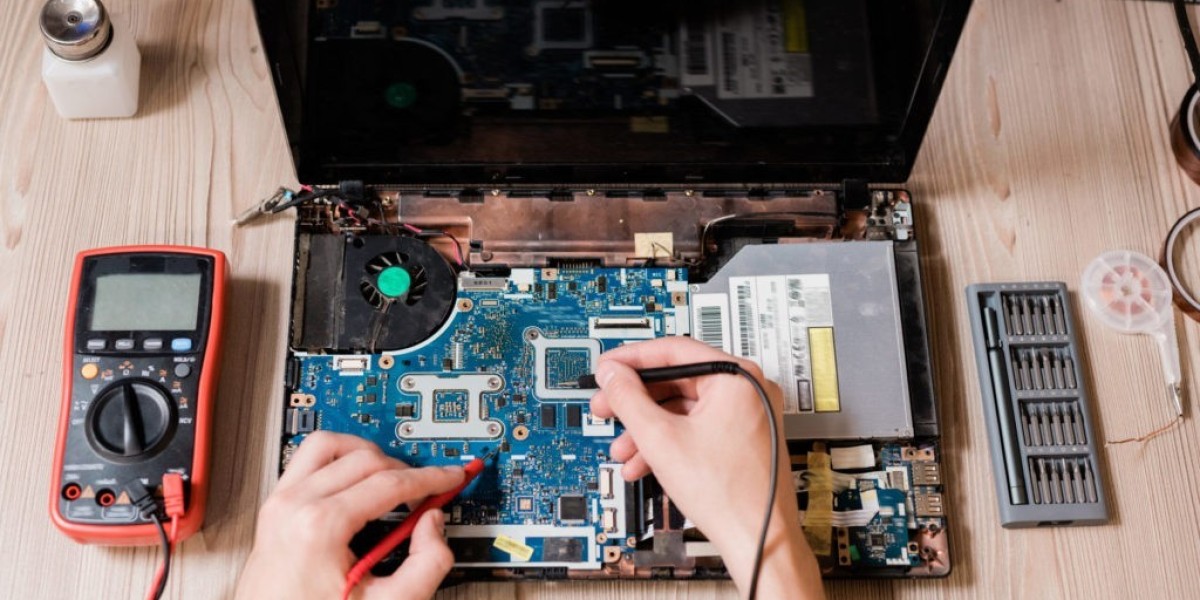

When a laptop stops working properly, finding a reliable repair option can be challenging. Not everyone lives near a trusted computer technician, and busy schedules can make visiting a repair shop inconvenient. Fortunately, a mail-in laptop repair service provides an alternative that allows customers to send their devices directly to professional technicians.
From the initial repair request to the return shipment, understanding each stage can make the experience easier. Knowing what happens during the process also helps you prepare your laptop properly and avoid common mistakes.
Understanding Mail-In Laptop Repair
Mail-in laptop repair is a service that allows customers to ship their laptops to a professional repair center. Instead of visiting a physical location, you arrange the repair remotely and send the device through a shipping carrier.
Once the repair center receives the laptop, technicians inspect it to identify the underlying problem. Depending on the issue, they may repair or replace damaged components, resolve software problems, perform maintenance, and test the laptop before returning it.
This option can be useful for customers who do not have access to a reliable local repair shop.
Step One: Identify the Laptop Problem
Before contacting a repair provider, take some time to identify the symptoms.
Does the laptop fail to turn on? Is the screen cracked? Does the computer shut down unexpectedly? Is it overheating? Is the battery draining quickly?
Write down everything you have noticed. Providing detailed information can help technicians understand the problem more quickly.
For example, instead of simply saying that the laptop is not working, explain whether the power light turns on, whether the fan spins, or whether anything appears on the screen.
Step Two: Contact the Repair Provider
After identifying the problem, contact the mail-in repair company.
You may need to provide information such as:
Laptop manufacturer
Model number
Description of the problem
Approximate age of the device
Previous repair history
Any error messages
Some repair companies may provide an initial estimate based on the information you provide. However, the final diagnosis may require a physical inspection.
Step Three: Follow Shipping Instructions
Once the repair has been arranged, the provider will explain how to ship the laptop.
Some companies may provide specific packaging requirements or shipping labels. Others may ask customers to arrange their own shipping.
Follow the instructions carefully. Improper packaging can expose the laptop to unnecessary damage during transportation.
Step Four: Back Up Your Important Files
Before shipping your laptop, create a backup if the device still works.
Important files can include:
Work documents
Photos
Videos
School assignments
Business files
Password recovery information
Personal projects
Use an external storage device or a trusted cloud backup service.
Backing up your files is especially important if the laptop has storage problems. A repair technician may be able to preserve the data, but customers should not assume that every repair will protect existing files.
Step Five: Protect Your Personal Information
Laptops often contain personal and business information. Before sending the device away, consider what information is stored on it.
If possible, sign out of personal accounts and remove unnecessary sensitive information. Ask the repair provider about its privacy procedures if technicians need to access the operating system.
If a password is required for testing, communicate with the repair company about the safest way to provide the necessary access.
Step Six: Package the Laptop Carefully
Good packaging is essential for mail-in repair.
Wrap the laptop with appropriate protective material and place it inside a strong box. There should be enough cushioning to prevent the device from moving around during transportation.
Do not rely on a thin shipping envelope for a laptop. The screen, hinges, corners, and ports can be damaged by impacts.
It is also a good idea to photograph the laptop before packaging it. Pictures can document its condition before shipping.
Step Seven: Tracking the Shipment
Once the laptop has been shipped, keep the tracking information.
Tracking allows you to monitor the package and confirm when it reaches the repair center. Do not throw away the shipping receipt until the entire repair process is finished.
If the package appears delayed, contact the shipping company or repair provider as appropriate.
Step Eight: Diagnostic Inspection
After the laptop arrives, technicians normally inspect the device.
A professional diagnostic may involve checking the following:
Battery health
Charging system
Display
Keyboard
Trackpad
Storage drive
Memory
Cooling fans
Motherboard
Operating system
Ports and connectivity
The technician may discover that the original symptom has a different underlying cause.
For example, a laptop that suddenly shuts down could have a battery problem, overheating issue, faulty power circuit, or software-related problem.
Step Nine: Receive the Repair Estimate
After diagnosing the laptop, the repair company may provide a repair estimate.
The estimate should explain what needs to be repaired or replaced and how much the work will cost.
Customers can then decide whether to approve the repair.
This step is important because it prevents unexpected repair expenses. If additional problems are discovered later, the provider should explain them before performing additional work.
Step Ten: Professional Repair
Once the repair is approved, technicians begin the work.
Depending on the problem, the repair may involve replacing a component, repairing a circuit, cleaning internal components, resolving software issues, or upgrading hardware.
The required time can vary significantly. A simple battery replacement may take less time than a complicated motherboard repair.
Specialized repairs may require additional diagnostic testing before the technician can determine the exact fault.
Step Eleven: Testing After Repair
A quality repair does not end when the damaged component is replaced.
Technicians should test the laptop to confirm that the repair has solved the original problem.
They may test the display, keyboard, charging system, battery, Wi-Fi, ports, operating system, storage, and other relevant functions.
Testing helps ensure that the laptop is ready for normal use before it is returned to the customer.
Step Twelve: Return Shipping
After testing is complete, the repair center packages the laptop for return shipping.
Customers may receive tracking information so they can follow the package.
When the laptop arrives, inspect the exterior before opening the package. Compare its condition with the photographs you took before shipping.
Then turn on the laptop and test the functions related to the original repair.
Common Repairs Offered Through Mail-In Services
Many different laptop problems can be handled through mail-in repair.
Common examples include cracked displays, broken hinges, faulty keyboards, battery failures, charging problems, overheating, fan issues, storage failures, operating system errors, and certain motherboard problems.
The availability of each service depends on the repair provider and laptop model.
Always confirm that the technician has experience with your specific device before shipping it.
How to Choose a Reliable Service
Choosing the right provider is an important part of the process.
Look for a company that provides clear repair information, transparent pricing, experienced technicians, secure shipping procedures, and a reasonable warranty.
Customer reviews can also provide useful information about communication, repair quality, turnaround time, and customer service.
Avoid providers that refuse to explain their process or provide unclear pricing information.
Final Thoughts
A mail-in laptop repair service can make professional laptop repair more accessible and convenient. Instead of traveling to a repair shop, customers can arrange the service remotely and ship their laptop directly to experienced technicians.
The key to a successful experience is preparation. Identify the symptoms, back up important files, protect personal information, package the device carefully, and choose a repair provider with relevant experience.
Once the laptop has been diagnosed and repaired, professional testing and secure return shipping complete the process. For many users, mail-in repair provides a practical way to restore a laptop without the inconvenience of finding and visiting a local repair shop.