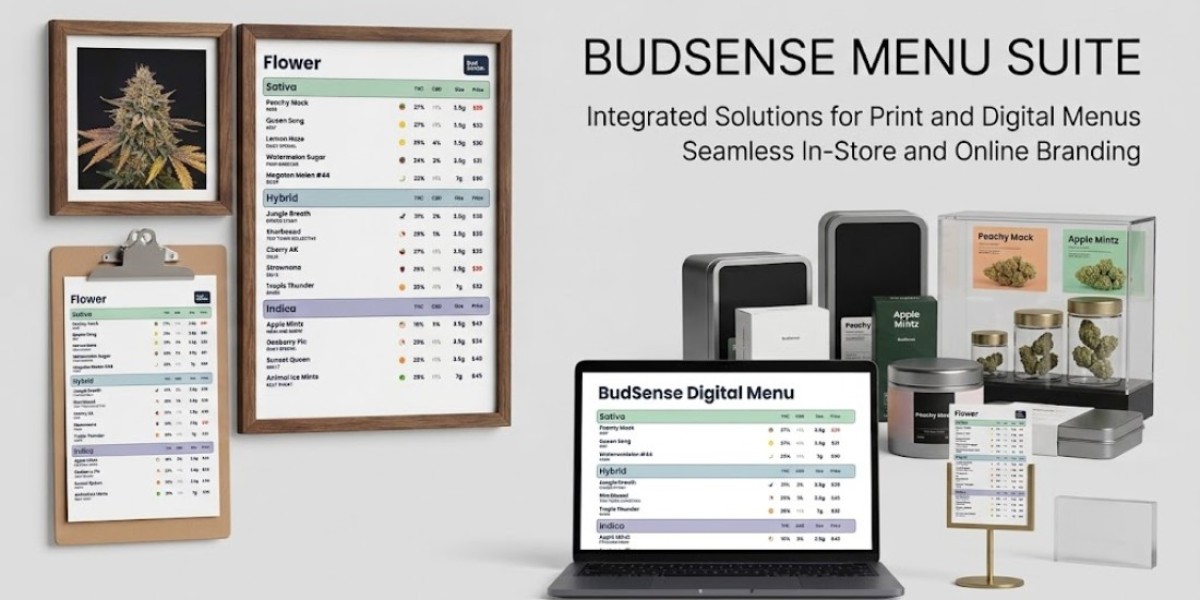

If uptime and unparalleled customer experience are your business benchmarks, cumbersome clipboards and static paper printouts might be costing you more time and resources than you realize. Wholesale and B2B stores with live catalogs powering brick-and-mortar locations know how difficult it can be to keep paper ads and counter displays completely free from error. That’s where digital print workflows like printable cannabis menus can help you simplify and optimize your daily operations. Streamlined print solutions allow you to efficiently manage your printed collateral so that merchandising at the counter is always accurate, organized, and up-to-date with your backend data.
In this article, we’ll cover exactly how automated print tools can benefit retail merchandising, while highlighting best practices for driving more sales in-store.
From Static Sheets to Automated Cannabis Menus
Traditionally, print sheet management was a highly manual process. Print-heavy employees would spend their days formatting spreadsheets, reprinting old documents, and using scissors to cut and paste new information by hand whenever inventory or prices changed. But what happens when your batches, inventory, and price points are changing several times in a single day?
Stagnant physical printouts won’t cut it. Cannabis menu automation creates a seamless middle-ground between your backend software and the customer-facing products displayed at retail. Instead of cutting and pasting data, your operations team can leverage specialized print tools that connect to your POS backend to print new designs instantly.
Accurate invoicing, consistent price points across stations, and less time spent in data entry gives your business more time to do what’s important. Here’s how focusing on tangible printouts can make a difference for your retail strategy.
The Importance of Stand-Up Displays
Paper displays might seem like a retail standard, but touchscreen displays and order pads aren’t your only option. Having strong tangible collateral at the ready is a great way to support your overall sales strategy. Here are just a few ways professional dispensary menu templates can benefit both commercial operators and inventory managers:
1. Improve Store Traffic and Counter Organization
Condensing your menu down onto a single printed sheet gives your customers something to read at the counter while they wait. Printed menu sheets improve organization at the register and reduce overall store congestion.
2. Stay Prepared For Technical Difficulties
Even the most advanced digital hardware can experience periodic glitches and lag times. Network connectivity is never 100%, so having physical print sheets at the ready can help you stay ahead of technical difficulties.
3. Highlight Any Flipping Menus
Promotions, dealing batches, and new menu additions are easy to spotlight on physical cannabis menus. Featuring merchandising planks and trade-grade printers to display your branding, branded dispensary print sheets are a must-have for any team taking cannabis menus to the next level.
Streamlining Operations with Advanced Print Solutions
While technology can greatly enhance the in-store shopper experience, nothing beats guaranteed accuracy with automating your print materials. Discover how automated menu tools can streamline your inventory management process: Say goodbye to spreadsheets.
Cannabis menu automation streamlines the process of keeping printed ads consistent with live inventory. Forget about spending your day reformatting the same spreadsheet. Menu automation allows you to connect your live inventory directly to customizable menu templates.
Once set up, these platforms work alongside automated weed menu boards to trigger printing functions only when your products are live and ready for sale. Many systems also allow teams to integrate farmers grind menus, subcategories, and branded product categories for streamlined in-store browsing.
Best Practices for Designing Effective Print Materials
Looking to upgrade your print game? Keep these best practices in mind when designing your physical menu boards. Add value to your printed displays by incorporating these simple tips and tricks:
Display High-Quality Information: Trim out excess wording and bulky descriptions. Bold headers, easy-to-read fonts, and simplistic table designs allow customers to understand your product information from afar.
Organize with Categories: Divide your content into clear categories, strains, and price ranges. This allows customers to easily find what they’re looking for.
Make it Your Own: Utilize customizable menu templates to feature your brand’s color scheme and logo on all physical printouts.
Keep it REAL: Always double-check that your pricing is transparent and any legal product disclaimers are up to date on your printed documents.
As the industry-leading retail ecosystem, BudSense understands the importance of seamless print solutions. Learn more about automation-friendly print formats and customizable display options on the BudSense Print Menus Page.
You’ve Got Options
To scale your business, optimize operations, and serve more customers, it’s important to leverage technology that works for you. Don’t let outdated systems hold you back any longer. Discover how BudSense’s digital menuing tools and customizable display solutions can streamline your operations by visiting the BudSense Homepage.
FAQs
1. How do cannabis menu templates work?
Cannabis menus are digital layouts that connect to your inventory software to display live pricing, catalog data, and other product information on printed paper. Learn more about how automated menu solutions work on the BudSense Homepage.
2. When should I print updated cannabis menus?
With BudSense, you can configure your menu settings to print cannabis menus whenever your live inventory changes. Typically, this means any time inventory is added, moved, or removed from your storage solutions.
3. When do I need cannabis menus?
Menu-like printouts are ideal for distributing at the counter, displaying in menus, or handing out to customers as purchase guides. Cannabis menus are great for providing shoppers with a tangible reference while they browse the store.
4. How can I customize my printed menu boards?
Our menu maker allows you to customize the background, text, menu fonts, and section headers of your printed menus to match your brand. Explore customizable menu templates through our digital tools.
5. Can menu automation help my employees save time?
Yes. By automating your print workflow, employees can avoid manually working with spreadsheets and spend less time reprinting menus each day. Learn how BudSense saves staff time by streamlining daily administrative tasks.
6. How do cannabis menus enhance the customer experience?
Clean and professional menu sheets offer customers accurate pricing and product availability at a glance. Visit our resources to learn more about improving the in-store customer experience.