
Spilling liquid on your Mac is one of those moments that triggers instant panic, whether it's a splash of coffee across the keyboard or a MacBook that's slipped into a pool or sink. The good news is that quick, correct action in the first few minutes can make a real difference to the outcome, and even Macs that have taken on a fair amount of liquid are often recoverable with the right approach.
Understanding what actually happens when liquid gets inside your Mac, and what steps genuinely help versus what can make things worse, is worth knowing before you're ever in this situation.
What to Do Immediately After a Spill
The very first step is to power off your Mac immediately rather than continuing to use it, since electrical components can short and cause further damage while the machine remains powered on with liquid inside. If it's a MacBook, disconnecting the charger and removing any connected peripherals reduces the risk of additional electrical activity while liquid is present internally. Turning the Mac upside down in a way that allows any visible liquid to drain out, rather than pooling further inside, can help limit how far it spreads toward sensitive components. Resisting the urge to turn it back on to check if it still works is important, since doing so before the internals have had a chance to dry can cause a short circuit that wouldn't have otherwise occurred.
Why Professional Assessment Matters More Than DIY Drying
A common instinct is to place a wet MacBook in a bag of rice or leave it in front of a fan for a day or two before trying to turn it on again. While the intention is reasonable, rice is largely ineffective at drawing moisture out of the internal components where it actually matters, and it can even introduce dust and starch residue into the machine. Anyone dealing with a liquid spill, particularly those searching for Mac Repairs Elsternwick shortly after an incident, will generally get a far more reliable outcome from a proper internal inspection and cleaning than from at-home drying methods, since a technician can access and clean the specific areas where liquid residue causes long-term corrosion if left untreated.
What Happens During a Proper Water Damage Repair
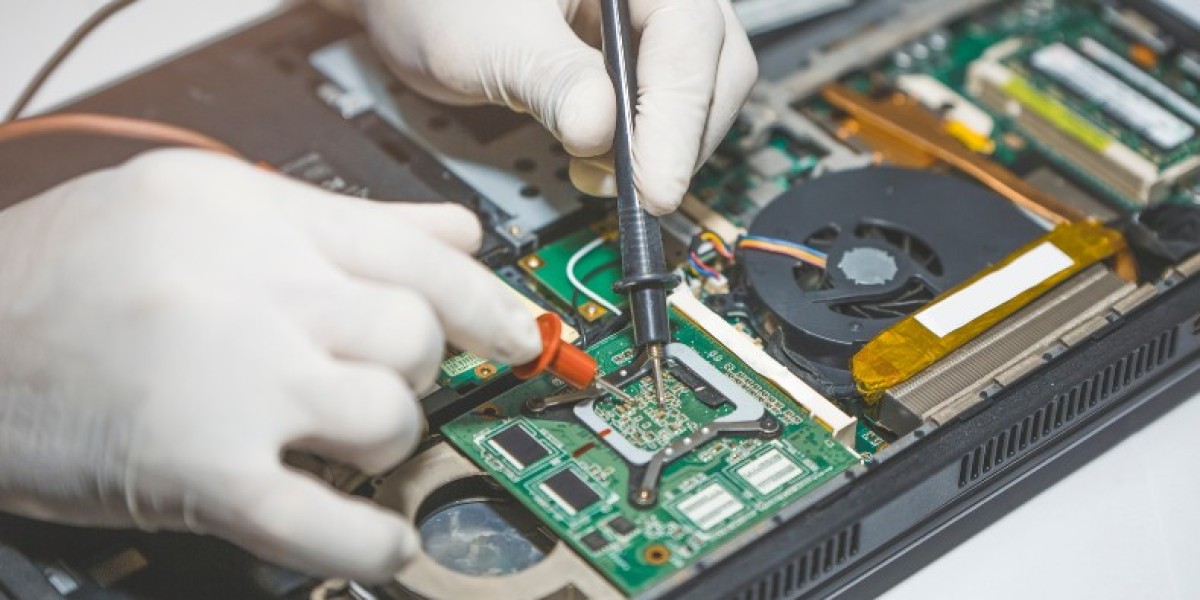
A thorough water damage assessment typically starts with fully disassembling the Mac to inspect the logic board, connectors, and other internal components for visible liquid residue or corrosion. Depending on what the liquid was, sugary drinks and salt water tend to leave more corrosive residue than plain water, affected areas are cleaned using isopropyl alcohol and specialised tools designed to remove residue without damaging delicate components. The battery is checked carefully as well, since liquid exposure can sometimes affect battery cells in ways that aren't immediately obvious from the outside. Once cleaned, the Mac is reassembled and tested to determine whether it's functioning normally or whether specific components, such as the keyboard, trackpad, or logic board, need replacement due to lasting liquid damage.
A Recent Customer Experience
★★★★★ Google Review — Sophie Marchetti, Elsternwick VIC
"I spilled a full glass of water directly onto my MacBook keyboard and immediately panicked, since I use it for uni assignments and had a deadline the next day. I turned it off straight away and brought it into Same Day Mac Repairs within the hour rather than trying to dry it myself. They opened it up properly, cleaned the internals thoroughly, and found the keyboard needed replacing but thankfully the logic board had come through undamaged. I had it back the following day, fully working, with all my files intact. The technician explained clearly what liquid damage typically affects and why acting quickly had made a real difference to the outcome. Genuinely relieved I didn't try the rice trick I'd read about online instead of getting it looked at properly."
Signs That Point to Lasting Damage
Even after a proper clean, some signs suggest a Mac may have sustained lasting internal damage from a spill. Keys that remain unresponsive or sticky despite cleaning, a trackpad that behaves erratically, or a Mac that won't hold charge properly can all point to specific components that were affected beyond simple residue and require replacement rather than cleaning alone. Corrosion that's had time to set in, particularly if the Mac wasn't powered off immediately or wasn't assessed for several days after the spill, tends to cause more permanent damage to connectors and circuitry than liquid that's addressed and cleaned promptly.
Preventing Future Liquid Damage
Keeping drinks a reasonable distance from your workspace, using a keyboard cover if spills are a recurring risk, and being mindful when carrying open containers near your Mac all reduce the likelihood of a repeat incident. If a spill does happen again, acting immediately, powering off, disconnecting power, and getting it assessed promptly, remains the most reliable way to limit the extent of any damage.
Conclusion
Water damage on a Mac is a stressful situation, but it's often more recoverable than people initially assume, particularly when the right steps are taken immediately after the spill rather than relying on at-home drying methods that don't actually address the residue causing long-term harm. Whether the outcome involves a straightforward internal clean or specific component replacement, a proper assessment gives you a clear picture of what's actually needed rather than leaving you guessing. Same Day Mac Repairs offers thorough water damage assessment and repair, helping you get your Mac back to reliable working condition as quickly as possible after a spill.