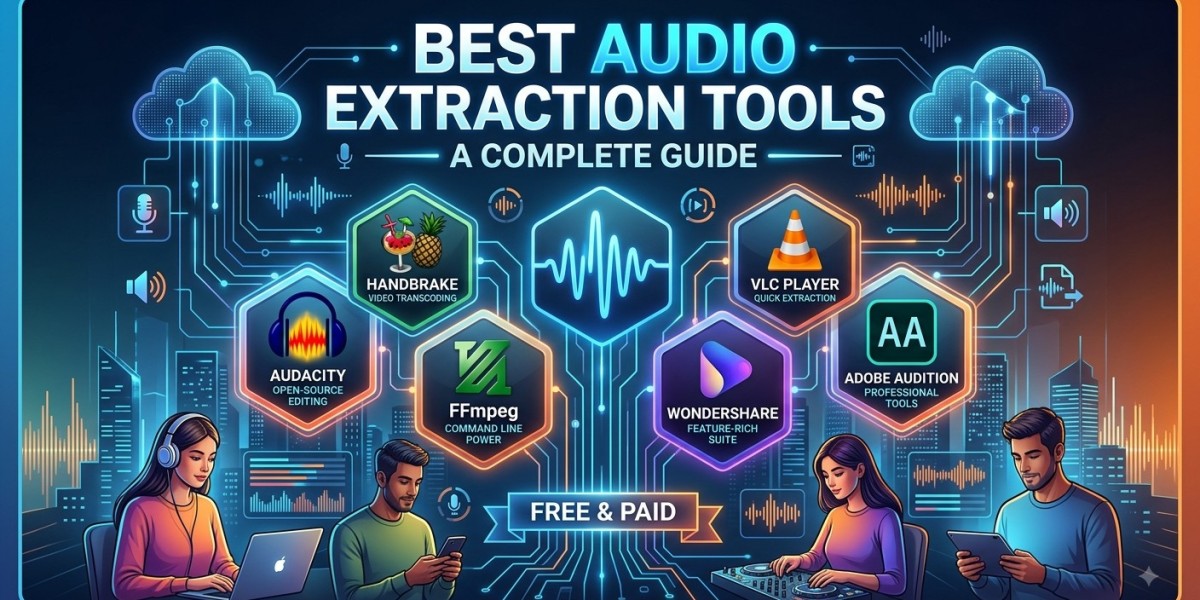

Audio is an important part of modern digital content. From podcasts and online courses to interviews, presentations, music projects, and video production, people often need to separate audio from video files for different purposes. The right audio extraction tool can make this process simple, even for users who have little technical experience. With so many desktop applications, online services, and multimedia programs available today, understanding their features can help you choose a solution that matches your needs.
What Is Audio Extraction?
Audio extraction is the process of taking the audio track from a video or multimedia file and saving it as a separate audio file. The extracted file can then be played, edited, stored, or used in another project.
For example, imagine that you have recorded a video interview but only need the conversation for a podcast. Instead of working with the entire video, you can extract its audio and edit the resulting file. Similarly, students may extract audio from their own recorded lectures for convenient listening, while content creators may need an audio track for editing or post-production.
The important thing to understand is that extraction does not automatically improve the original sound. The quality of the extracted file depends heavily on the quality of the source and the settings used during the process.
Why Do You Need an Audio Extraction Tool?
An audio extraction tool saves time by making it easier to separate sound from multimedia files. Without a dedicated tool, users may need to rely on complicated editing software or multiple applications to complete a simple task.
A good extraction application can provide a straightforward workflow. You typically select a source file, choose the desired output format, adjust available settings, and save the resulting audio.
The right tool can also be helpful when working with different file formats. Some programs support common video containers and can export audio in formats such as WAV, MP3, AAC, or FLAC. Advanced applications may provide additional controls for sample rate, channels, bitrate, and other audio properties.
Best Types of Audio Extraction Tools
There is no single tool that is perfect for every user. The best option depends on whether you need basic extraction, audio editing, batch processing, or professional control.
Desktop Audio Extraction Software
Desktop applications are a good choice for users who regularly work with local media files. They generally provide more control than basic online converters and can be useful for larger files.
Another advantage is that many desktop applications allow you to process files without uploading them to a third-party website. This can be particularly useful when working with private recordings, business material, interviews, or other sensitive content.
Some applications are designed specifically for conversion, while others combine extraction with editing features. If you expect to make additional changes to your audio after extraction, an editor may be a more practical choice.
Audacity for Audio Extraction and Editing
Audacity is a popular open-source audio application that can be useful for people who want to extract and edit audio in the same workflow. Its visual waveform makes it relatively easy to identify sections of a recording and perform basic edits.
After bringing compatible media into an audio workflow, users can trim unnecessary sections, adjust volume, reduce certain types of unwanted noise, and export the result in a suitable format. Audacity supports several audio formats and provides options for controlling export settings.
Its main advantage is flexibility. You do not have to stop after extracting the audio. You can continue editing the file, making it useful for podcasts, voice recordings, educational projects, interviews, and other everyday audio tasks.
FFmpeg for Advanced Users
FFmpeg is a powerful multimedia framework used for processing audio and video. Unlike applications that rely primarily on graphical interfaces, FFmpeg can be operated through command-line instructions.
This makes it especially useful for technical users, developers, editors, and anyone who needs to process a large number of files. Tasks that would take several manual steps in a graphical application can often be automated.
The main challenge is its learning curve. Beginners may find command-line instructions less intuitive than a simple drag-and-drop interface. However, once the basic commands are understood, FFmpeg can provide considerable control over multimedia processing.
VLC Media Player
VLC is widely recognized as a media player, but it also includes media conversion capabilities. This makes it convenient for users who already have VLC installed and occasionally need to convert or extract audio.
For simple tasks, there may be no need to install a specialized extraction program. VLC supports a broad range of multimedia formats and can provide a practical solution for everyday users.
It is worth remembering, however, that VLC is primarily a media player rather than a dedicated professional audio editor. If you need advanced restoration, mixing, or detailed waveform editing, specialized audio software may be more appropriate.
Online Audio Extraction Tools
Online audio extraction services can be convenient when you need to process a file occasionally. They typically work through a web browser, allowing users to upload a compatible file, select an output format, and download the resulting audio.
The biggest advantage is convenience. There is usually no installation process, and the service can potentially be used from different devices.
However, online tools require more attention to privacy and security. Before uploading a file, users should understand how the service handles uploaded content and whether files are retained on its servers. Private recordings, confidential business documents, and sensitive material should generally be handled with extra care.
Users should also be cautious about websites that use misleading download buttons, excessive advertisements, or questionable software offers. A simple audio task should not require unnecessary permissions or unfamiliar installations.
Understanding YouTube to WAV Converters
When people want to obtain audio from online video content, YouTube to WAV Converters are sometimes considered because WAV is widely used for editing and production. However, users should understand the difference between an audio format and audio quality.
WAV is commonly associated with uncompressed PCM audio, but converting an already compressed source into WAV does not restore information that was lost during the original compression. The resulting WAV may simply contain the available source audio in a larger, uncompressed file.
There is also an important legal consideration. Users should only download, extract, or reuse online content when they have the appropriate rights or permission to do so. Platform terms, copyright law, and the license associated with the content should all be considered before using extracted material for publication, commercial projects, or redistribution.
Audio Extraction Methods for Different Needs
Different Audio Extraction Methods can be appropriate depending on the type of source and the intended use of the final file.
If you already have a video stored on your computer, direct extraction through desktop software may be the simplest approach. If you need to process many files, an application with batch-processing support can save significant time.
For users who want to edit the extracted audio, an audio editor may be preferable because it combines extraction or conversion with trimming, cleanup, and export features. Technical users may prefer command-line tools because they offer automation and detailed control.
The most suitable method is therefore not necessarily the one with the most features. It is the method that achieves the required result without introducing unnecessary steps or quality loss.
Choosing the Right Audio Format
The output format is one of the most important decisions when extracting audio.
WAV
WAV is commonly used for audio editing and production because it can store uncompressed audio. The files are usually larger than compressed alternatives, but they can be useful when preserving an uncompressed working copy is important.
MP3
MP3 uses lossy compression, which allows significantly smaller files. It is useful when convenient storage, sharing, and broad playback compatibility are more important than retaining every detail of the source.
FLAC
FLAC provides lossless compression. It can reduce file size while preserving the audio data, making it an attractive choice for archiving or storing high-quality audio without the larger size associated with many uncompressed files.
The best format depends on what you plan to do next. An editor may prefer a lossless or uncompressed working file, while someone creating a small file for everyday listening may prefer a compressed format.
Important Features to Look For
When comparing audio extraction tools, consider more than just the ability to save an audio file. A reliable tool should support the source formats you commonly use and provide an output format suitable for your project.
Ease of use is another important factor. Beginners often benefit from a clear interface with understandable settings, while experienced users may want detailed controls and automation options.
Privacy should also be considered. Desktop software may be preferable when files should remain on your computer. For online tools, check the service's privacy information before uploading anything sensitive.
Batch processing can be valuable for people working with multiple recordings. Instead of repeating the same process one file at a time, a suitable application may allow several files to be handled together.
Tips for Getting Better Extraction Results
Start with the highest-quality source available. If you have an original audio recording, it is generally better to work from that rather than extracting audio from a lower-quality copy.
Avoid unnecessary conversions. If a file is already in the format you need, converting it again may not provide any benefit. Multiple lossy conversions can gradually affect audio quality.
It is also a good idea to listen to a short portion of the extracted file before completing a large batch of work. Check for missing audio, unusual volume levels, incorrect channels, or other unexpected changes.
For important projects, keep a copy of the original media. This gives you the option to repeat the extraction later with different settings without losing your source material.
Common Mistakes to Avoid
One common mistake is assuming that a larger file automatically has better sound quality. For example, changing a compressed audio source into a large WAV file does not recreate audio information that was already removed.
Another mistake is choosing an extraction service without checking its reliability. Unknown websites may expose users to misleading advertisements, unwanted downloads, or unclear data-handling practices.
Users should also avoid using extracted content without checking whether they have the right to use it. Having the technical ability to extract audio does not automatically provide permission to publish or distribute copyrighted material.
Finally, do not select complicated software simply because it has many features. If you only need basic extraction, a straightforward application may be faster and easier to use.
Audio Extraction for Different Users
Audio extraction can serve many different purposes. Content creators may use it to prepare audio for podcasts or video editing. Students can work with recordings for personal study. Businesses may extract audio from their own presentations or meetings for internal use.
Musicians and sound designers may require more advanced tools because they often need precise control over audio quality and editing. Meanwhile, casual users may only need a simple conversion process for personal files.
Understanding your own requirements before choosing software can prevent unnecessary complexity and help you select a tool that fits your workflow.
Final Thoughts
The best audio extraction tool is not necessarily the one with the longest feature list. It is the one that provides the right combination of quality, ease of use, supported formats, privacy, and functionality for your particular needs. Simple applications such as VLC can work well for occasional tasks, while Audacity is useful when extraction needs to be followed by editing. Advanced users may benefit from the flexibility and automation offered by FFmpeg.
As OutRight Systems emphasizes the importance of practical technology solutions, users can apply the same principle when selecting an audio extraction tool: choose a reliable option that solves the actual problem without adding unnecessary complexity. Always begin with a quality source, select an appropriate output format, protect private files, and make sure you have the necessary rights to use the content. With these considerations in mind, audio extraction can become a simple, efficient, and dependable part of your digital workflow.