
Introduction
On-demand transportation has made convenience an essential part of the passenger experience. Customers increasingly expect to enter a pickup location, choose a destination, see an estimated fare, request a vehicle, track the driver, and complete payment through one application.
This creates an opportunity for local transportation businesses. Taxi operators and fleet owners no longer need to rely entirely on phone bookings, spreadsheets, or third-party ride-hailing platforms. They can operate their own digital mobility service while controlling fares, commissions, service areas, customer relationships, driver policies, and business data.
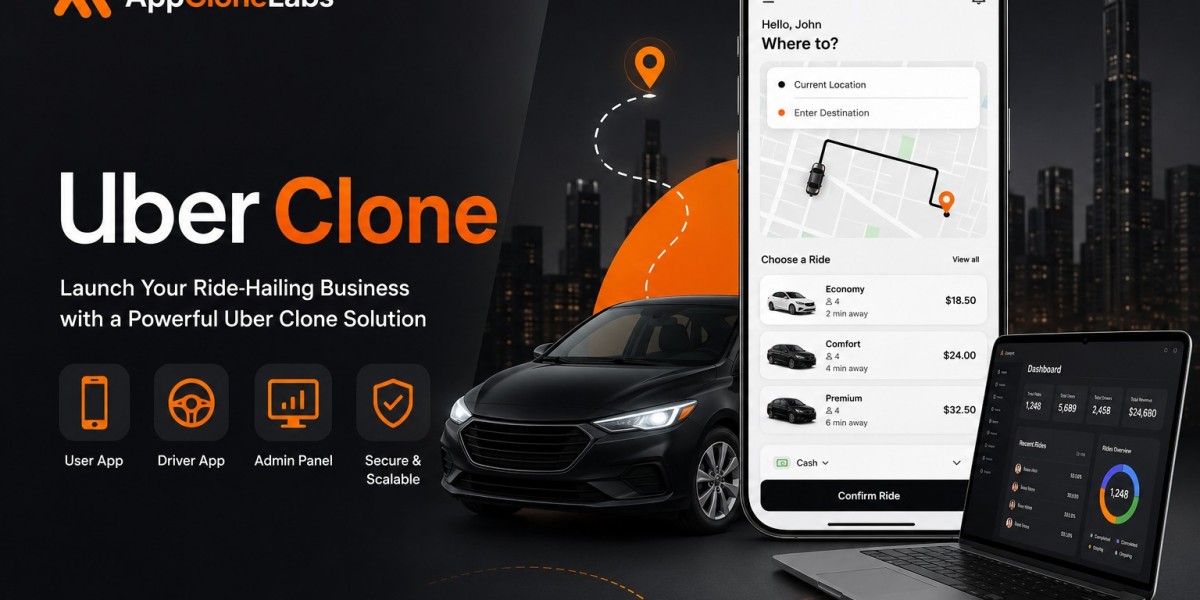
Uber clone app development provides a structured foundation for creating this type of platform. A complete system connects riders, drivers, dispatchers, support agents, finance teams, and administrators through role-specific applications and dashboards.
What Is an Uber Clone App?
An Uber clone app is a custom ride-booking platform based on the familiar on-demand transportation business model.
Passengers use the rider application to select pickup and drop-off locations, compare vehicle categories, review estimated prices, request rides, follow driver locations, make payments, and submit ratings.
Drivers use a separate application to control their availability, receive ride requests, navigate to pickup points, complete trips, monitor earnings, and communicate with the platform’s support team.
Dispatchers and administrators use a web-based operations panel to monitor active trips, approve drivers, configure pricing, manage payments, resolve disputes, and review business performance.
The word “clone” describes the general product model. It should not mean copying another company’s protected brand identity, content, interface, trademarks, or private technology. A professionally developed platform should use original branding, independent source code, custom workflows, and market-specific business rules.
Why Local Transportation Businesses Need Their Own Platform
Third-party ride-hailing marketplaces can provide customer reach, but they also control commissions, pricing rules, driver policies, promotional campaigns, and access to customer relationships.
An independently operated platform gives the transportation business more control over:
- Driver commissions
- Passenger service fees
- Supported vehicle categories
- Operating locations
- Discount campaigns
- Driver incentives
- Corporate accounts
- Customer support
- Payment methods
- Business analytics
A local mobility platform can also be designed around regional operating conditions.
For example, an Indian city-based service may support UPI, cash rides, auto-rickshaws, local language interfaces, railway station zones, and city-specific fare rules. An airport transportation platform may focus on scheduled bookings, luggage capacity, flight information, fixed pricing, and professional drivers.
Businesses That Can Use an Uber Clone Solution
An Uber-like platform can support several mobility models, including:
- Local taxi services
- Airport transfer businesses
- Corporate transportation providers
- Bike taxi operators
- Auto-rickshaw platforms
- Electric vehicle fleets
- Premium chauffeur services
- Tourist transportation companies
- Medical transport providers
- Women-focused mobility services
- Intercity cab companies
- Employee transportation businesses
The first version does not need to cover every service category. A focused launch can make driver onboarding, pricing, customer acquisition, and support easier to manage.
Main User Roles in an Uber Clone Platform
A serious transportation marketplace requires several connected interfaces.
Rider
The rider searches for a destination, views the fare, selects a vehicle, requests a trip, tracks the driver, makes payment, and submits feedback.
Driver
The driver controls availability, accepts ride requests, follows navigation, updates trip statuses, completes trips, and monitors earnings.
Dispatcher
The dispatcher monitors live operations, manually assigns drivers, reviews trip exceptions, adjusts service availability, and supports urgent bookings.
Administrator
The administrator controls riders, drivers, fares, commissions, promotions, disputes, refunds, settlements, reports, and platform settings.
App Clone Labs structures its Uber Clone solution around these four operational roles, with separate permissions, workflows, status visibility, and support context.
How Does an Uber Clone App Work?
A standard ride-booking journey follows these stages:
- The passenger creates an account.
- The passenger enters the pickup location.
- The passenger selects a destination.
- Available vehicle categories and fare estimates appear.
- The passenger confirms the booking.
- The platform searches for an eligible driver.
- A nearby driver accepts the request.
- The passenger tracks the driver’s arrival.
- The driver confirms arrival at the pickup location.
- The trip starts through an OTP or trip-status control.
- The passenger follows the route through live tracking.
- The driver completes the trip.
- Payment is collected or recorded.
- The platform calculates its commission.
- The driver’s earnings are updated.
- Both users can submit ratings.
- Support teams can investigate payment or trip disputes.
Each step should be connected to notifications, payment records, administrative actions, support tools, and analytics.
Essential Rider App Features
Registration and Rider Profiles
Passengers should be able to create accounts using a mobile number, email address, or supported authentication provider.
A rider profile may include:
- Name and profile photograph
- Verified contact details
- Saved addresses
- Preferred payment method
- Emergency contacts
- Ride history
- Ratings
- Referral balance
- Notification preferences
The platform should also support secure password recovery, device sessions, account deactivation, and profile management.
Pickup and Drop-Off Selection
Passengers should be able to choose locations through:
- Current GPS position
- Address autocomplete
- Map selection
- Saved home and office addresses
- Recent destinations
- Popular landmarks
Accurate pickup information reduces passenger-driver confusion and improves the quality of automated driver matching.
Vehicle Categories
The platform can offer transportation options based on its local operating model.
Possible categories include:
- Bike taxi
- Auto-rickshaw
- Economy car
- Premium sedan
- SUV
- Electric vehicle
- Accessible vehicle
- Airport taxi
- Shared transportation
Each category can have its own passenger capacity, fare rules, service zones, driver requirements, and availability.
Fare Estimation
Passengers should see an estimated price before confirming a booking.
The fare may include:
- Base fare
- Distance charge
- Estimated travel time
- Waiting charges
- Airport fees
- Toll charges
- Peak-demand pricing
- Taxes
- Coupons
- Promotional discounts
The official solution includes pickup and drop-off autocomplete, saved locations, vehicle categories, fare previews, coupons, waiting rules, and cancellation logic within the core booking system.
Live Driver Tracking
After a driver accepts a booking, the rider should be able to view:
- Driver name
- Driver photograph
- Vehicle details
- Registration number
- Driver rating
- Live location
- Estimated arrival time
- Call or messaging controls
- Current trip status
The estimated arrival time should update when traffic conditions, routes, or driver movement change.
Scheduled Ride Booking
Scheduled bookings can support:
- Airport transfers
- Office commutes
- Medical appointments
- Railway station trips
- Events
- Early-morning travel
- Corporate transportation
Scheduled rides require reminder notifications, assignment rules, cancellation conditions, and fallback-driver processes.
Payment Options
The rider application may support:
- Credit and debit cards
- UPI
- Digital wallets
- Cash payments
- Corporate billing
- Promotional credits
- Stored application balances
The payment screen should clearly distinguish successful, pending, failed, refunded, and disputed transactions.
Ride History and Invoices
Passengers should be able to view upcoming, active, completed, and cancelled rides.
Each ride record may contain:
- Pickup and destination
- Route information
- Booking date and time
- Driver details
- Fare breakdown
- Payment status
- Invoice
- Rating controls
- Support options
Essential Driver App Features
Driver Registration and Verification
Drivers may need to provide:
- Identity documents
- Driving licence
- Vehicle registration
- Insurance information
- Profile photograph
- Bank details
- Tax information
- Background-verification documents
Administrators should be able to approve, reject, suspend, or request updated information from drivers.
The platform can also track licence expiry, vehicle eligibility, verification history, performance, complaints, and account status.
Online and Offline Availability
Drivers need a simple control for becoming available or unavailable.
When online, the driver can receive eligible ride requests. When offline, new bookings should not be assigned.
The driver dashboard may also display:
- High-demand locations
- Airport queues
- Incentive zones
- Daily targets
- Bonus opportunities
- Wallet balance
Ride Request Management
When a trip request arrives, the driver may see:
- Pickup distance
- Estimated pickup time
- Vehicle category
- Passenger rating
- Approximate trip length
- Estimated earnings
- Request countdown
The platform should define what happens when the driver accepts, rejects, or ignores the request.
Navigation and Trip Controls
The driver application should provide controls for:
- Accept booking
- Navigate to pickup
- Confirm arrival
- Verify the rider
- Start trip
- Navigate to destination
- Complete trip
- Cancel trip
- Report passenger absence
- Contact support
Every status change should update the rider application and dispatcher dashboard in real time.
Driver Earnings Dashboard
Drivers should be able to monitor:
- Daily earnings
- Weekly earnings
- Completed rides
- Platform commissions
- Tips
- Incentives
- Bonuses
- Cash collected
- Wallet adjustments
- Pending payouts
- Settlement history
Clear earnings information helps reduce payment-related disputes and strengthens driver trust.
Automated Driver Matching and Dispatch
Driver assignment is one of the most important systems within Uber clone app development.
The matching engine may evaluate:
- Driver distance from pickup
- Vehicle category
- Online status
- Service area
- Driver rating
- Acceptance history
- Cancellation behaviour
- Scheduled booking requirements
- Airport queue position
- Priority-driver status
The system can initially send the request to the nearest eligible driver. When that driver rejects or ignores it, the search radius can expand until another qualified driver is found.
App Clone Labs’ dispatch model covers nearest-driver matching, radius expansion, scheduled rides, manual assignment, priority rules, and fallback logic.
Manual Dispatcher Controls
Automated matching should be supported by human operational controls.
A dispatcher may need to intervene when:
- No driver accepts the ride
- A scheduled booking needs confirmation
- A driver’s vehicle breaks down
- A passenger requests assistance
- An airport queue must be managed
- A corporate booking requires a specific driver
- A trip is escalated by support
Combining automation with manual control makes the platform more resilient during unexpected situations.
Maps, Routing, and Geofencing
Map technology supports far more than the route displayed on the screen.
It may be used for:
- Address autocomplete
- Pickup validation
- Distance calculation
- Fare estimation
- Driver matching
- Live tracking
- Route guidance
- Estimated arrival time
- Service-zone control
- Route-deviation detection
The platform may integrate Google Maps, Mapbox, or another mapping provider according to regional coverage, cost, and technical requirements.
Service Zones
Geofencing allows the operator to define where rides can start or end.
Separate pricing and operating rules may apply to:
- Airports
- Railway stations
- Business districts
- Toll zones
- City boundaries
- Restricted areas
- Neighbouring cities
Service zones can also control which drivers receive bookings and which vehicle categories appear.
Payments, Commissions, and Driver Settlements
The financial system must accurately track money moving between riders, drivers, and the platform.
A completed trip may involve:
- Passenger payment
- Platform commission
- Driver earnings
- Tips
- Taxes
- Incentives
- Cash collection
- Wallet adjustments
- Refund deductions
- Final settlement
Cash rides add another operational requirement because the driver collects the fare directly while still owing the platform its commission.
The Uber Clone payment layer described by App Clone Labs covers cards, UPI, wallets, cash controls, tips, refunds, driver earnings, commissions, payout reports, and finance exports.
Every payment and settlement should remain linked to the correct trip, driver, passenger, refund, and support record.
Safety and Trust Features
A mobility marketplace connects strangers in the physical world, making safety essential.
Important safety features include:
- SOS button
- Emergency contacts
- Live trip sharing
- Masked phone numbers
- Driver identity verification
- OTP-based trip start
- Route monitoring
- Report and block controls
- Passenger and driver ratings
- Complaint categories
- Support tickets
- Administrative audit logs
Support agents should be able to review trip details, payment records, route history, ratings, and previous complaints when investigating a safety issue.
Admin and Dispatcher Dashboard
The admin dashboard is the operational centre of the transportation business.
Driver Management
Administrators should be able to manage:
- Driver applications
- Identity documents
- Vehicle records
- Licence expiry
- Account approval
- Suspensions
- Ratings
- Performance history
- Complaints
Live Trip Operations
Dispatchers may need access to:
- Active trips
- Driver locations
- Unassigned bookings
- Cancelled rides
- Trip-status changes
- Fare adjustments
- Refunds
- Support escalations
- Dispatcher notes
Fare and Surge Management
The business should be able to configure:
- Base fares
- Distance charges
- Time charges
- Waiting fees
- Airport charges
- Service-zone pricing
- Peak-demand pricing
- City-specific rules
- Vehicle-category rates
Financial Management
Finance teams may require access to:
- Passenger payments
- Driver earnings
- Platform commissions
- Tips
- Incentives
- Cash collections
- Taxes
- Refunds
- Wallet adjustments
- Settlement exports
- Payout status
The solution page treats driver verification, live operations, fare controls, commission ledgers, settlements, and reporting as first-class administrative capabilities.
Uber Clone Monetization Models
Per-Trip Commission
The platform deducts a fixed fee or percentage from every completed ride.
Commission rates can vary by city, vehicle category, trip type, or driver plan.
Passenger Booking Fee
A separate convenience or platform fee can be added to the passenger’s total fare.
Dynamic Pricing Margin
Prices may increase when passenger demand is high and driver availability is limited.
Dynamic pricing should use clear rules and operator-controlled limits.
Driver Subscription Plans
Drivers may pay a recurring fee in return for:
- Reduced commissions
- Priority requests
- Premium support
- Performance analytics
- Additional earning tools
Rider Passes
Passengers can subscribe to plans that provide:
- Reduced booking fees
- Discounted rides
- Priority booking
- Fixed-route benefits
- Premium vehicle access
Corporate Transportation
Companies may use the platform for employee travel, central billing, spending limits, approvals, and monthly reporting.
Local Promotions
Hotels, restaurants, airport businesses, and local merchants may pay for promotional placements after the platform attracts meaningful traffic.
Suggested Technology Stack
A practical technical foundation may include:
Rider and Driver Applications
- React Native
- Flutter
- Native Android
- Native iOS
Admin and Dispatcher Console
- React
- Next.js
Backend
- Node.js
- Modular APIs
- Role-based authentication
- Real-time trip services
Database and Processing
- PostgreSQL
- Redis
- Background-processing queues
Integrations
- Google Maps or Mapbox
- Stripe or Razorpay
- UPI providers
- Firebase notifications
- Apple Push Notification Service
- SMS and email services
- Identity-verification tools
The App Clone Labs reference architecture combines rider and driver mobile applications, a Next.js administration console, Node.js trip APIs, PostgreSQL records, Redis dispatch queues, mapping services, payment gateways, and real-time notifications.
What Influences Uber Clone Development Cost?
The cost depends on the depth of the workflows, integrations, and operating rules.
Major cost factors include:
- Rider and driver applications
- Admin and dispatcher dashboard
- Real-time location tracking
- Mapping services
- Driver-matching complexity
- Number of vehicle categories
- Online and cash payment handling
- Driver settlement rules
- Scheduled bookings
- Surge pricing
- Safety features
- Multi-city management
- Corporate accounts
- Third-party integrations
- Quality assurance
- Cloud infrastructure
- Post-launch maintenance
Real-time maps, two separate mobile applications, payment ledgers, cash reconciliation, driver settlements, and dispatch exceptions increase development and testing requirements.
Recommended MVP Scope
The first version should deliver one complete booking-to-settlement workflow.
A practical MVP may include:
- Rider registration
- Driver registration
- Driver verification
- Pickup and destination selection
- Fare estimation
- Limited vehicle categories
- Automated matching
- Ride acceptance
- Live tracking
- Trip-status management
- Cash and online payments
- Driver earnings
- Ratings
- Notifications
- Basic safety controls
- Support tools
- Admin dashboard
- Essential analytics
The official solution recommends beginning with one city, limited ride types, straightforward pricing, simple dispatch, live tracking, payments, ratings, and support. Multi-city rules, subscriptions, airport queues, demand forecasting, driver scoring, and advanced fraud controls can be added later.
Important Metrics for a Mobility Platform
Founders should measure whether the platform is becoming reliable for both riders and drivers.
Useful metrics include:
- Completed ride rate
- Driver acceptance rate
- Average pickup time
- Ride cancellation rate
- No-driver-found rate
- Repeat passenger rate
- Number of active drivers
- Average rides per driver
- Average fare
- Platform commission revenue
- Payment failure rate
- Refund rate
- Support tickets per ride
- Driver retention
- Passenger satisfaction
Application downloads alone do not prove that the marketplace works. Completed rides, repeat bookings, active drivers, accurate settlements, and manageable support operations are stronger indicators.
How to Differentiate an Uber Clone Platform
A new mobility service needs a clear reason for riders and drivers to join.
Potential positioning strategies include:
- Electric vehicle transportation
- Women-focused rides
- Airport transfers
- Corporate employee transportation
- Medical transportation
- Tourist mobility
- Bike taxi services
- Premium chauffeur bookings
- Rural transportation
- Intercity travel
- Subscription-based local rides
The platform can also compete through lower driver commissions, faster payouts, transparent pricing, local payment options, dependable scheduled bookings, stronger safety features, or better driver support.
Final Thoughts
Uber clone app development gives mobility startups, taxi companies, and fleet operators a structured foundation for launching their own digital transportation platforms.
However, the product is much more than a passenger booking interface. It must coordinate driver availability, ride requests, dispatch, live maps, pricing, payments, commissions, settlements, safety, support, and administrative operations.
The strongest approach is to begin with one city, limited vehicle categories, clear pricing, and one complete operating workflow. After passengers begin booking repeatedly and drivers remain active, the business can expand into new locations, corporate transportation, subscriptions, advanced dispatch, airport queues, and intelligent fraud controls.
App Clone Labs provides an Uber Clone development solution covering rider and driver applications, automated dispatch, live tracking, payments, safety tools, operations dashboards, and client-owned source code.