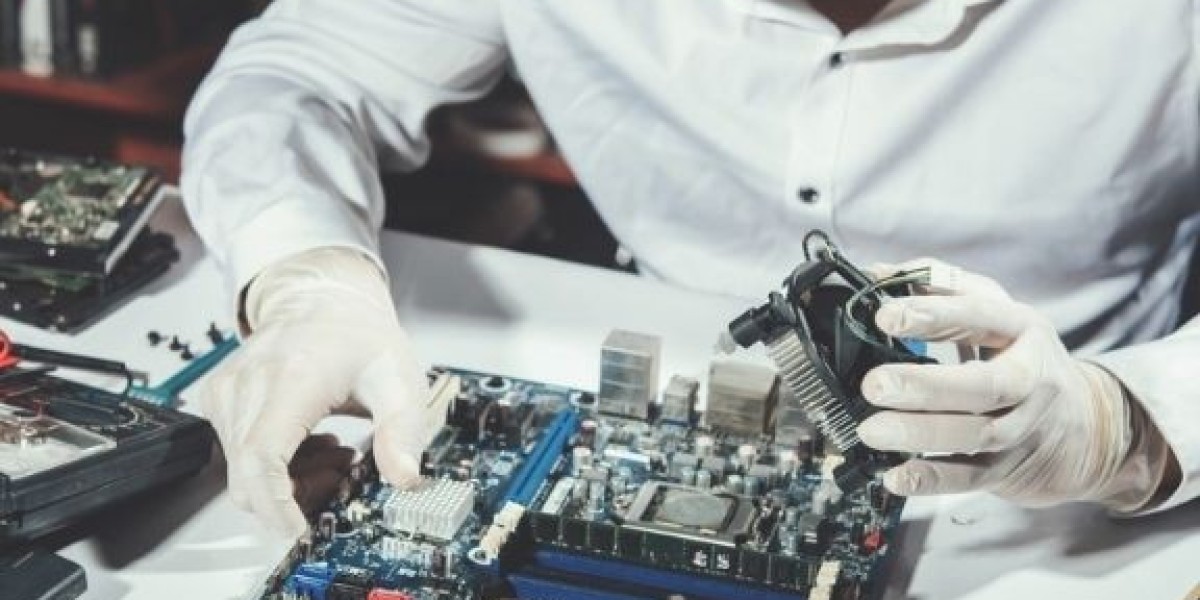

Melbourne's Hampton community depends on computers for everything from running small businesses to storing treasured family memories. When a computer crashes unexpectedly, the immediate fear isn't about the device itself — it's about the files, photos, documents, and data that might be gone forever. A crashed computer feels like a disaster, but the reality is far more hopeful than most people realise. With the right approach and professional help, recovering lost files is often entirely possible. If you're facing this stressful situation right now, trusted Computer Repairs Hampton specialists can assess your system and guide you through the recovery process step by step.
Understanding What Actually Happens When a Computer Crashes
Before panicking, it helps to understand what a computer crash actually means for your data. A crashed computer — one that won't start, freezes constantly, displays error screens, or shuts down unexpectedly — has experienced a failure somewhere in its system. That failure might be hardware-related, software-related, or both.
Crucially, in most crash scenarios, your files are not immediately destroyed. Data is stored on your hard drive or solid-state drive, and those storage devices often remain perfectly intact even when the rest of the computer fails completely. The computer can't access your files, but that doesn't mean the files are gone. Think of it like a locked room — the contents are still there, you just need the right key to get inside.
Common Reasons Computers Crash and Cause File Loss
1. Hard Drive Failure
Hard drives are mechanical devices with moving parts that wear out over time. When a hard drive begins failing, your computer may crash repeatedly, display error messages, or refuse to boot entirely. You might hear clicking, grinding, or beeping sounds — these are warning signs of a drive in serious trouble.
Despite the dramatic symptoms, data on a failing hard drive is often still recoverable, especially if you act quickly and stop using the computer immediately. Continued use of a failing drive can cause further damage and reduce recovery chances significantly.
2. Corrupted Operating System
Your operating system manages everything your computer does. When critical system files become corrupted — through incomplete updates, malware attacks, or sudden power loss during operation — the computer loses its ability to start properly. The operating system fails, but your personal files stored on the drive remain untouched and recoverable.
Professional technicians can bypass the corrupted operating system entirely and access your files directly from the storage drive using specialised tools.
3. Accidental File Deletion
Sometimes a computer doesn't crash at all — files simply disappear due to accidental deletion, an errant keyboard shortcut, or an application error. Files deleted from the Recycle Bin aren't immediately erased from your drive. The space they occupied is simply marked as available for new data. Until new data overwrites that space, deleted files remain recoverable.
This is why it's critical to stop using your computer immediately after accidental deletion. Every new file saved, every application opened, increases the risk of permanently overwriting the deleted data.
4. Virus and Malware Attacks
Malicious software can corrupt files, encrypt your data, or damage your operating system beyond normal function. Ransomware attacks are particularly devastating, locking users out of their own files entirely. However, even in malware scenarios, professional data recovery specialists have tools and techniques to restore access to affected files in many cases.
5. Power Surge or Sudden Shutdown
A sudden power outage, electrical surge, or forced shutdown while the computer is actively writing data can corrupt files and damage the file system. The computer may crash immediately and refuse to restart. While the damage can feel catastrophic, the underlying data on your storage drive often survives intact and can be professionally extracted.
6. Physical Damage
Dropped laptops, water spills, and accidental impacts can physically damage computer components. Even when a laptop is badly damaged externally, the internal storage drive frequently survives. Professional recovery services can remove the drive from a physically damaged computer and access its contents using external equipment.
A Local Hampton Story: Priya's File Recovery Experience
Priya, a university student living in Hampton, was working on her final year thesis when her laptop suddenly crashed and refused to restart. The screen went black, and no amount of button pressing brought it back to life. Three years of research notes, draft chapters, and collected resources appeared to be completely gone just weeks before her submission deadline.
Devastated and unsure what to do, Priya brought her laptop to a local repair shop rather than attempting any fixes herself. The technician carefully examined the laptop and determined that the motherboard had failed due to overheating — but the storage drive was completely undamaged. Using professional data extraction equipment, the technician connected the drive externally and recovered every single file Priya had stored, including her entire thesis and years of research.
"I was convinced everything was lost," Priya said. "The technician was calm and reassuring from the moment I walked in. Getting every file back felt like a miracle." Priya now backs up her work to cloud storage daily, a habit she wishes she had started much earlier.
Steps to Take Immediately After a Computer Crash
Acting correctly in the moments after a crash dramatically improves your recovery chances. Follow these important steps:
- Stop using the computer immediately — further use risks overwriting recoverable data
- Do not attempt to reinstall the operating system — this can permanently destroy existing files
- Avoid running disk repair tools unless guided by a professional — some tools can worsen data loss
- Document what happened — note any error messages, sounds, or events before the crash
- Do not open the computer yourself — improper handling can damage the storage drive
- Contact a professional data recovery service as soon as possible — time genuinely matters
Can You Recover Files Yourself?
For very simple situations — like files accidentally deleted and still recoverable from the Recycle Bin — self-recovery is straightforward. There are also consumer-grade data recovery software options available online that work in limited scenarios.
However, for serious crashes involving hardware failure, corrupted drives, or physical damage, DIY recovery attempts often make the situation worse. Professional data recovery specialists have cleanroom environments, specialised hardware tools, and years of experience handling delicate recovery situations that consumer software simply cannot replicate.
When your files genuinely matter — and they usually do — professional help is always the safer and smarter choice.
Conclusion
A crashed computer is frightening, but it rarely means your files are gone permanently. From hard drive failures and corrupted operating systems to accidental deletions and physical damage, professional recovery solutions exist for almost every scenario. Hampton residents facing a computer crash should act quickly, avoid DIY attempts, and seek expert assistance without delay. Experienced Computer Repairs Hampton professionals have the tools, knowledge, and expertise to recover your lost files and give you the best possible chance of getting everything back.