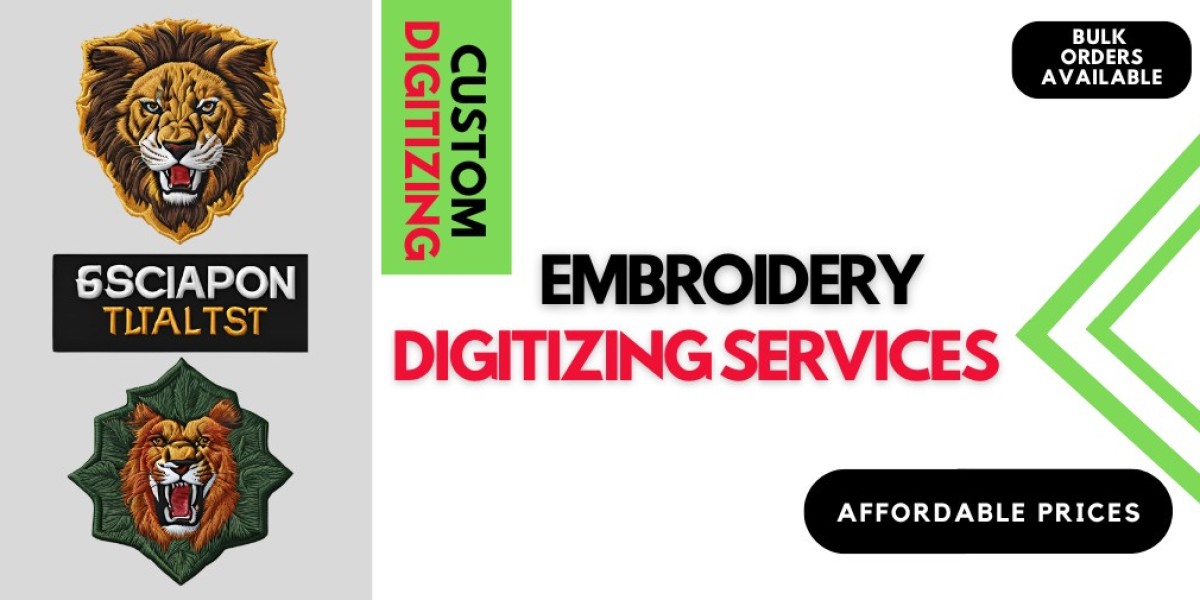

Master Machine Embroidery Digitizing Software for Better Designs
Embroidery technology has changed the way designs are created for clothing, hats, jackets, and many other textile products. Instead of drawing stitches manually, designers now rely on Machine embroidery digitizing software to convert artwork into stitch-ready files that embroidery machines can read.
Digitizing is the process of transforming logos, text, or images into a format that embroidery machines understand. This process determines how stitches are placed, the direction they follow, and how the final embroidery design appears on fabric.
For beginners and professionals alike, using the right tools and understanding the basics of digitizing can significantly improve embroidery results. With modern software, designers can control stitch density, underlay, pull compensation, and many other elements that ensure clean and high-quality embroidery.
Learning how to use digitizing tools properly allows businesses, freelancers, and embroidery enthusiasts to produce attractive designs efficiently. Whether someone is creating logos for companies or decorative patterns for garments, mastering digitizing techniques helps deliver professional results every time.
Understanding the Basics of Embroidery Digitizing
Embroidery digitizing is more than simply uploading an image into software. It involves carefully planning how stitches will be placed to ensure the design looks smooth and balanced on fabric.
A good digitizer must think about several factors while preparing a design. These include the type of fabric, the size of the design, the thread color sequence, and the direction of stitches. Each decision affects the final embroidery output.
When a design is digitized properly, the embroidery machine runs smoothly without thread breaks or uneven stitches. On the other hand, poorly digitized files may cause gaps, puckering, or overlapping threads.
Professional digitizers spend time studying the artwork before they start converting it into stitches. They decide which stitch types should be used for different parts of the design. Satin stitches are commonly used for borders and text, while fill stitches work well for larger areas.
This thoughtful approach ensures that the final embroidery design maintains the original look of the artwork while still being machine friendly.
How Digitizing Software Transforms Artwork Into Stitches
Digitizing software works as a bridge between graphic design and embroidery machines. It allows users to import images, adjust shapes, and assign stitch types that embroidery machines can interpret.
The process usually begins by importing a logo or artwork file into the program. The digitizer then outlines each part of the design manually or semi-automatically. After outlining shapes, stitch types are assigned based on the size and purpose of each element.
Modern tools allow users to adjust stitch angles, densities, and directions. These adjustments are important because they influence the appearance of the finished embroidery.
A high-quality Machine embroidery digitizing software program also provides preview features. These previews simulate how the embroidery will look before the design is actually stitched on fabric. This helps designers detect problems early and make corrections.
Using such tools not only saves time but also improves the accuracy of embroidery designs.
Important Features to Look for in Digitizing Tools
When selecting digitizing software, certain features can make the design process much easier and more efficient.
One of the most useful features is automatic stitch generation. This option helps beginners quickly convert simple artwork into stitches while learning the basics of digitizing.
Another valuable feature is stitch editing. This allows designers to manually adjust stitches for better results. Even small changes in stitch direction or density can improve the final appearance of embroidery.
Color management is also an essential feature. It helps organize thread colors and ensures the machine stitches the design in the correct sequence.
Preview simulation is another powerful function that allows designers to see how stitches will run during embroidery. This helps prevent mistakes before production begins.
Some programs also include libraries of fonts, shapes, and decorative patterns. These built-in elements allow designers to create new embroidery designs quickly without starting from scratch.
For businesses offering embroidery digitizing online, such features help deliver fast and consistent results for customers.
Tips to Improve Your Digitizing Skills
Becoming skilled in embroidery digitizing takes time and practice. However, a few strategies can help beginners improve their work much faster.
First, always start with clean and high-resolution artwork. Clear artwork makes it easier to trace shapes accurately and maintain design quality.
Second, choose the correct stitch type for each design element. Satin stitches are ideal for letters and borders, while fill stitches are better for larger shapes.
Third, pay attention to stitch direction. Changing stitch angles can add texture and depth to embroidery designs.
Fourth, test designs before mass production. Running a sample on fabric helps identify issues like puckering or thread breaks.
Finally, continue learning from experienced digitizers. Tutorials, practice designs, and feedback from professionals can help beginners refine their skills over time.
As digitizers gain more experience, they learn how different fabrics behave and how stitch settings should be adjusted accordingly.
Benefits of Using Professional Digitizing Software
Professional embroidery tools offer many advantages for designers and businesses. They allow users to create detailed embroidery patterns with precision and efficiency.
One major benefit is improved design quality. Advanced tools provide greater control over stitch placement and density, resulting in clean and smooth embroidery.
Another benefit is faster production. Once a design is digitized properly, it can be reused multiple times without repeating the entire process.
These programs also help reduce errors. Features like automatic underlay, stitch simulation, and editing tools help prevent problems before stitching begins.
Businesses that rely on embroidery for branding and promotional products often depend on Machine embroidery digitizing software to maintain consistent quality across all designs.
This consistency is essential for professional embroidery services and large-scale production.
Get a Free Quote
Common Mistakes Beginners Should Avoid
Many beginners make mistakes when they first start digitizing embroidery designs. Understanding these common errors can help new digitizers improve their results.
One common mistake is using too many stitches. Excessive stitch density can cause thread breaks and fabric puckering.
Another mistake is ignoring fabric type. Different fabrics require different stitch settings. A design that works on denim may not work well on lightweight fabric.
Beginners also sometimes rely too heavily on automatic digitizing tools. While these tools are helpful, manual adjustments are often necessary for professional results.
Poor stitch direction is another issue that can affect the final appearance of embroidery. Changing stitch angles properly can make designs look more natural and balanced.
Learning to avoid these mistakes helps digitizers produce cleaner and more reliable embroidery files.
Order Now
The Future of Digital Embroidery Design
Embroidery technology continues to evolve rapidly. Modern software now includes advanced automation, design templates, and intelligent stitch suggestions.
These improvements make digitizing faster and more accessible for beginners while still providing powerful tools for professionals.
Cloud platforms and online design services are also becoming more common. This allows businesses and freelancers to collaborate and share designs easily.
With continued innovation, digitizing software will likely become even more intuitive and efficient. Designers will be able to create complex embroidery patterns with less effort and greater accuracy.
For anyone interested in embroidery design, learning to use Machine embroidery digitizing software effectively is an important step toward creating high-quality embroidered products.
Mastering these tools not only improves creativity but also opens new opportunities in the embroidery industry.
Ready to get started? Get a Free Quote Now or Contact Us today to turn your ideas into stunning embroidered art.
Author: Digit-it
Experts in Custom Embroidery Digitizing – Trusted by Clients Nationwide
Website: www.digit-it.com | Email: digitize@digit-it.com |
Contact: +1(231)-821-5515
WhatsApp: +44 7598 989500
Secure, Professional, and Committed to Quality – View our About Page and Contact Information for Trust & Support.